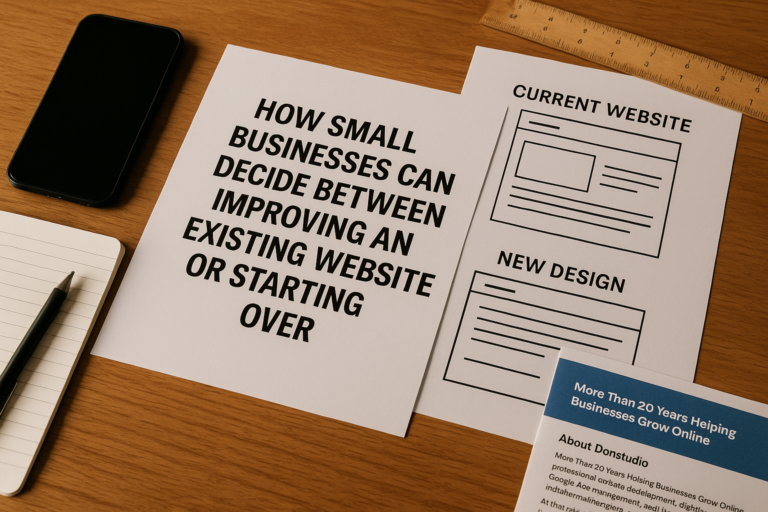
Many small businesses assume a website redesign is the fastest way to improve results. Sometimes that is true. But in many cases, the better first step is a careful audit.
A redesign can be expensive, time-consuming, and disruptive if it is based on assumptions instead of evidence. You may end up replacing pages that already perform well, removing content that supports rankings, or changing design elements that were never the real problem. On the other hand, you may discover that your site does need deeper changes because of technical issues, poor usability, weak content, or low conversion performance.
This small business website audit guide will help you evaluate what to check before redesigning a website. Whether you run a service business, professional practice, retail company, or growing organization, a structured review can help you spend money more wisely and make better decisions about improvements.
Why a Website Audit Should Come Before a Redesign
A website audit for small business owners is not just a technical exercise. It is a business decision tool.
Before you approve a redesign, you want to understand:
- What parts of the website are already working well
- What pages attract traffic and leads
- What technical problems hurt performance
- What content is outdated, thin, or confusing
- What user experience issues create friction
- Whether the problem is design, messaging, speed, SEO, or all of the above
Without that clarity, a redesign can become a cosmetic project instead of a strategic improvement. A good audit helps you protect what is valuable and focus your budget where it will have the biggest impact.
Start With Business Goals, Not Design Preferences
Before reviewing pages, tools, or analytics, begin with the purpose of the website.
Ask simple but important questions:
- What is the main job of the website?
- Is it supposed to generate phone calls, quote requests, appointments, purchases, or form submissions?
- Who is the ideal customer?
- What services or products matter most?
- What action should a visitor take on each key page?
Many redesigns go off track because they focus too heavily on appearance. Visual design matters, but design should support business goals. A modern-looking site that does not generate leads or guide users clearly is not a successful upgrade.
During your audit, evaluate every major page against your actual business objectives. If a page looks acceptable but does not support conversions, education, trust, or search visibility, it may still need improvement.
Review Your Website Performance Data First
One of the most important parts of a small business website review checklist is performance data. Before changing anything, identify what visitors are already doing.
Check traffic sources
Look at where your website traffic comes from:
- Organic search
- Google Ads or other paid campaigns
- Direct traffic
- Referral traffic
- Social traffic
- Email marketing
If a large portion of traffic comes from search engines, your redesign should protect SEO-critical pages, metadata, headings, and internal links.
Identify top-performing pages
Review which pages receive the most visits, engagement, and conversions. These pages may include:
- Homepage
- Primary service pages
- Location-neutral informational pages
- Blog articles
- Contact page
- Landing pages connected to advertising
Do not assume older pages should be deleted just because they look dated. If they rank well or generate leads, they deserve careful preservation or improvement.
Review conversion behavior
Check whether visitors are completing actions such as:
- Calling your business
- Submitting contact forms
- Booking appointments
- Requesting estimates
- Making purchases
- Clicking important calls to action
If traffic exists but conversions are weak, the issue may be messaging, user experience, trust signals, load speed, or form friction rather than an overall need for a full redesign.

Audit Technical Health Before Redesigning a Website
Technical issues can quietly damage rankings, user experience, and lead generation. A visually improved site will not solve those problems unless they are identified and addressed.
Page speed and performance
Slow websites create frustration and reduce conversions. Review how quickly your pages load on desktop and mobile devices.
Common causes of poor speed include:
- Oversized images
- Too many plugins or scripts
- Bloated themes or page builders
- Poor hosting quality
- Unoptimized code
- Lack of caching or content delivery improvements
If the main problem is speed, you may not need a full redesign. Performance optimization alone can sometimes produce a meaningful improvement.
Mobile responsiveness
For many small businesses across the United States, mobile users represent a major share of total visitors. Check whether your site works smoothly on phones and tablets.
Look for issues such as:
- Text that is hard to read
- Buttons that are too small to tap
- Navigation menus that are confusing on mobile
- Images that break layouts
- Forms that are difficult to complete
- Slow mobile loading times
A site that looks good on desktop but performs poorly on mobile may be losing valuable leads every day.
Broken links and errors
Review the website for broken pages, outdated internal links, missing images, and error messages. These issues hurt trust and can also create SEO problems.
Important items to check include:
- 404 pages
- Broken navigation links
- Old redirects
- Missing PDFs or downloads
- Forms that no longer send properly
- Pages blocked accidentally from indexing
If your site has accumulated years of small technical problems, a redesign may be part of the solution, but the audit helps define the real scope.
Security and software maintenance
If your site runs on WordPress or another content management system, review whether the software is current and secure. Outdated plugins, themes, or server configurations can create both performance and security risks.
Check for:
- SSL certificate status
- Platform and plugin updates
- Backup systems
- Security monitoring
- Spam form protection
- General maintenance history
Sometimes business owners think they need a redesign when the deeper issue is lack of maintenance.
Evaluate User Experience and Navigation
A website can be technically functional and still perform poorly because visitors do not know where to go or what to do next. User experience is a critical part of any website audit for small business websites.
Clarity of navigation
Your menu should make sense immediately. Visitors should be able to find your services, about information, contact options, and other priority content without guessing.
Warning signs include:
- Too many menu items
- Vague page labels
- Important services buried under multiple clicks
- Different navigation structures on desktop and mobile
- No clear path to conversion pages
Often, navigation can be improved without rebuilding the entire site from scratch.
First impression and trust
When a new visitor lands on your homepage or a service page, ask what impression they get within a few seconds. Does the site appear current, credible, and professional? Does it clearly explain what the business does and who it serves?
Review whether the website includes strong trust elements such as:
- Clear business information
- Professional branding
- Accurate contact details
- Testimonials or reviews where appropriate
- Certifications or memberships when relevant
- Project examples, case studies, or service detail
If trust is weak, the issue may be content strategy and page structure rather than design alone.
Call-to-action placement
Every important page should guide the visitor toward a next step. If users have to hunt for a phone number, form, or booking option, conversion rates may suffer.
Check whether calls to action are:
- Visible near the top of the page
- Repeated naturally throughout longer pages
- Specific instead of generic
- Appropriate for the user intent of the page
- Easy to use on mobile
For example, a service page may need a quote request button, while a high-intent landing page may need a shorter form and stronger value proposition.
Review Content Quality and Messaging
One of the most overlooked parts of a small business website review checklist is content. Many websites underperform not because of bad design, but because the messaging is vague, outdated, or too thin to build confidence.
Check whether core pages answer customer questions
Your homepage, service pages, and about page should explain:
- What you do
- Who you help
- What makes your business credible
- What areas or markets you serve on a broad U.S. basis if applicable
- How someone can take the next step
If a page is visually attractive but does not answer basic buying questions, it may not support conversion well.
Look for outdated information
Review all core pages for old phone numbers, former employees, discontinued services, outdated service descriptions, obsolete pricing references, or old promotional language. Outdated content can make the whole business appear neglected.
Identify thin or duplicate pages
Small business websites sometimes accumulate short, repetitive pages with little real value. This often happens when content was created quickly over time or built around weak SEO tactics.
Look for pages that:
- Say nearly the same thing as other pages
- Contain only a few lines of generic text
- Do not target a clear user need
- Receive little traffic and add little value
These pages may need to be consolidated, rewritten, or removed carefully.
Preserve valuable content assets
If you have blog articles, service pages, or resource content that rank in search results or attract backlinks, handle them carefully during any redesign. Losing URLs, headings, internal links, or topical depth without a migration plan can reduce visibility.

This is one of the biggest risks when redesigning a website without first conducting a full audit.
Check SEO Foundations
SEO should never be treated as an afterthought in a redesign project. An audit helps ensure you understand what is already supporting search visibility.
Title tags and meta descriptions
Review whether key pages have unique, relevant title tags and meta descriptions. These elements help search engines understand page topics and can influence click-through rates.
Heading structure
Each page should have a clear heading hierarchy. The main topic should be obvious, with logical H2 and H3 sections supporting readability and relevance.
URL structure
Check whether URLs are clean, understandable, and consistent. If a redesign changes URL structure, you need proper redirects to protect rankings and avoid broken links.
Internal linking
Internal links help users navigate and help search engines understand relationships between pages. Review whether important pages are linked clearly from relevant content.
Indexing and crawlability
Make sure important pages can be indexed and are not blocked accidentally. Review robots settings, noindex tags, canonical issues, and sitemap quality if applicable.
For a small business site, even basic SEO mistakes can significantly limit visibility.
Examine Conversion Barriers
If people visit your site but do not contact you, buy from you, or take the next step, the audit should identify where they get stuck.
Common conversion barriers include:
- Forms that ask for too much information
- Weak value propositions
- No visible trust indicators
- Confusing service descriptions
- Poor mobile usability
- Slow loading pages
- Too many distractions
- No urgency or relevance in calls to action
For example, a contractor may have a decent-looking site, but if the estimate request form is buried and service pages do not clearly explain capabilities, visitors may leave without contacting the business. In that case, redesign may help, but only if the real friction points are understood first.
Create a Prioritized Action Plan
Once the audit is complete, the next step is not automatically “redesign everything.” Instead, organize findings into priorities.
A practical approach is to group issues into three categories:
Fix now
- Broken forms
- Security issues
- Major mobile usability problems
- Critical speed issues
- Incorrect contact information
Improve soon
- Weak service page content
- Confusing navigation
- Missing trust elements
- Poor call-to-action placement
- SEO metadata problems
Consider during redesign
- Brand refresh needs
- Structural layout changes
- Full content reorganization
- New functionality
- Template or theme replacement
This prevents you from overspending on a complete rebuild when targeted improvements may solve the biggest problems.
How to Tell If You Truly Need a Redesign
After using this small business website audit guide, you should have a clearer answer to an important question: do you need a redesign, or do you need optimization?
A redesign may be justified if:
- The site looks outdated enough to reduce trust
- The structure no longer supports your services or growth
- The mobile experience is fundamentally poor
- The current platform is difficult to maintain
- Technical problems are widespread
- Brand positioning has changed significantly
Optimization may be enough if:
- The site structure is mostly sound
- Traffic is healthy but conversions are weak
- Only certain pages underperform
- Speed, content, or SEO issues are the main problem
- The design needs refreshing, not replacing
This distinction matters because it can save substantial time, money, and risk.
Conclusion
Before redesigning a website, small business owners should step back and evaluate what is actually happening on the current site. A thoughtful audit can reveal whether the real issues involve speed, mobile usability, content quality, SEO, navigation, trust, maintenance, or conversion friction.
The goal is not simply to create a newer-looking website. The goal is to improve business results.
By using a structured website audit for small business decision-making, you can avoid unnecessary changes, protect what already works, and invest more confidently in the improvements that matter most. In many cases, that leads to a smarter redesign. In others, it reveals that a full redesign is not the first thing you need at all.