
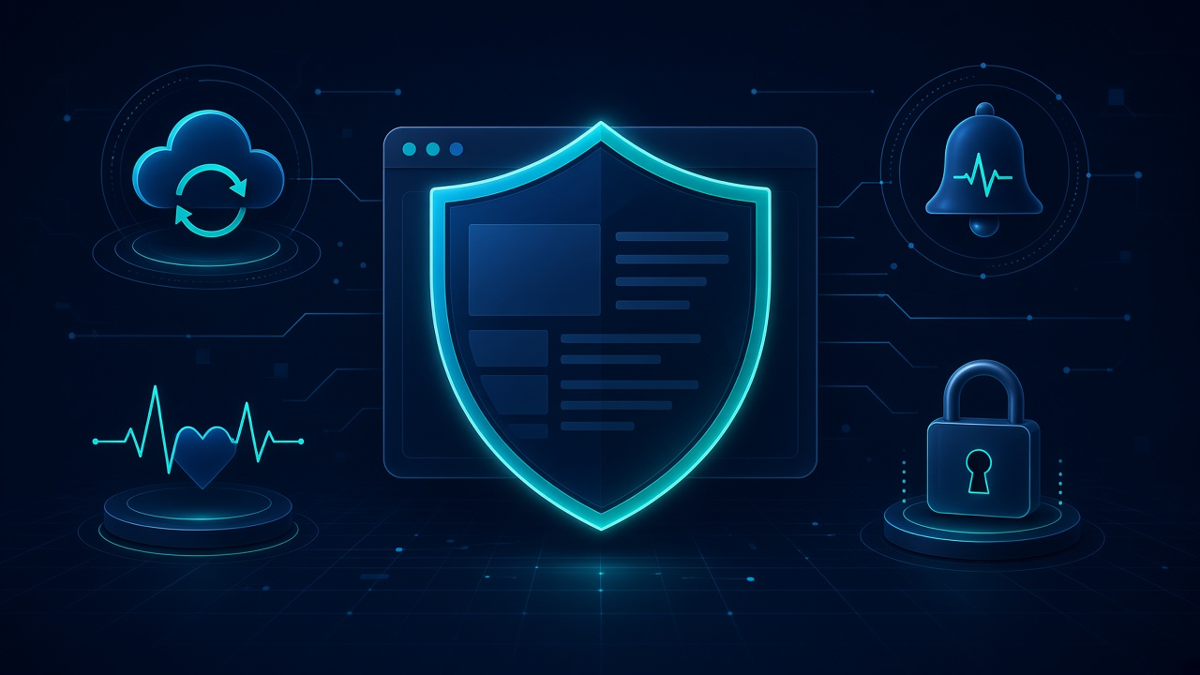
If you run a small business, your website is probably working harder than you think. It answers questions at midnight, it takes calls and form submissions while you’re on a job, and it’s the first place people go after they see your ad, read your reviews or get your name from a friend. That’s exactly why website security for small businesses isn’t a “nice to have.” When your site gets hacked, slows to a crawl or goes down, the damage isn’t just technical. It’s lost calls, lost leads and lost trust.
I’m Don MG, the web developer and marketing expert behind Donstudio.com. I’m based in Miami, FL, and for more than 21 years I’ve been building, managing and marketing websites for small businesses. Today I work with business owners in all 50 states, fully remote, in English or Spanish. Over those years I’ve seen what happens when a business website is left alone: outdated plugins, no backups, no monitoring and nobody watching when something breaks. I’ve also seen how much calmer life gets for an owner once those things are handled.
In this article I’ll walk you through exactly what I install and manage on my clients’ websites to keep them safe: the security setup, the watchdog monitoring system I built myself, automated backups, updates and upgrades, one-click restore for a crisis or disaster, and instant alerts that let me jump in and restore a site right away. I’ll keep it in plain English, because you don’t need to be a tech expert to understand what protects your business. You just need to know it’s being done, and done right.
Why Website Security for Small Businesses Matters More Than Ever
A lot of small business owners tell me some version of the same thing: “Who would want to hack my little website? I’m not a bank.” It’s an honest question, and the honest answer is that most attacks aren’t personal. They’re automated. Bots crawl the internet all day long, looking for websites with weak passwords, old plugins or known security holes. They don’t care whether you’re a dentist, a roofer, a law firm or a bakery. If the door is unlocked, they walk in.
Once they’re in, attackers might use your site to send spam, redirect your visitors to shady pages, inject hidden links, steal form data or simply break things. Sometimes you don’t even notice right away. A customer calls and says, “Your website sent me to some weird page,” or Google starts showing a warning next to your listing. By then, the problem has usually been going on for a while.
Small businesses are also more exposed than big companies for a simple reason: they don’t have an IT department. The owner is busy running the business, the person who built the site may have moved on, and nobody is really responsible for keeping things updated. That gap is exactly where problems grow.
What a Broken or Hacked Website Really Costs You
When people think about website security, they usually picture a hacker. But for a small business, the real cost shows up in everyday ways:
- Lost leads. If your contact form stops working or your site goes down, people who were ready to call you simply call someone else.
- Wasted ad budget. If you’re running Google Ads or Meta Ads, every click that lands on a broken, slow or hacked page is money spent for nothing.
- Damaged reputation. A browser warning or a spammy redirect makes your business look careless, even if it wasn’t your fault.
- Search visibility problems. Search engines can flag or demote sites that are compromised or frequently unavailable.
- Time and stress. Cleaning up a hacked site with no backup can take days, and it always seems to happen at the worst possible moment.
That’s why I treat security as part of marketing, not something separate from it. A website that isn’t protected can quietly undo all the work you’re putting into ads, SEO and reviews.
My Approach: Prevent, Monitor, Back Up and Restore
Good website security isn’t one plugin or one setting. It’s layers. I think about it in four parts:
- Prevent: make the site hard to break into in the first place.
- Monitor: watch the site constantly so problems are caught early.
- Back up: keep regular, automated copies of the whole website.
- Restore: be able to bring the site back quickly, with one click, if something goes wrong.
Each layer covers the gaps of the others. Prevention stops most problems. Monitoring catches what slips through. Backups make sure nothing is ever truly lost. And fast restore means that even in a real emergency, your business is back online quickly instead of being stuck for days. Let me go through each one.
The Security Setup I Install on Every Client Website
When I take on a client website, one of the first things I do is put a solid security foundation in place. The exact tools can vary depending on the site and the hosting, but the goal is always the same: close the common doors that attackers use, and make the site a much harder target.
Firewall and Malware Protection
A website firewall works like a security guard at the front door. It looks at incoming traffic and blocks requests that look malicious, such as known attack patterns, suspicious bots and repeated attempts to exploit common weaknesses. Most bad traffic never even reaches your site’s core files.
Along with the firewall, I set up malware scanning. This checks your site’s files for code that shouldn’t be there, like injected scripts, hidden redirects or modified core files. If something suspicious shows up, I want to know about it right away, not weeks later when a customer complains.
Login Protection
The login page is one of the most attacked parts of any WordPress website. Bots try thousands of username and password combinations, hoping one will work. I lock this down with several measures, such as limiting login attempts, blocking repeated failed logins, using strong passwords, and adding extra verification where it makes sense. I also review who has admin access, because old accounts from former employees or past developers are a common and easy-to-miss risk.
Website Hardening
Hardening means tightening the settings that most websites leave wide open by default. That can include protecting sensitive files, disabling features that aren’t needed, setting proper file permissions, hiding information that helps attackers learn about your setup, and removing unused plugins and themes. Every unused plugin is just one more thing that could have a security hole, so I keep sites lean and clean.
SSL and Secure Connections
Every site I manage runs on SSL, which is the “https” and padlock you see in the browser. SSL encrypts the connection between your visitor and your website, so information like contact form submissions can’t easily be intercepted. It also matters for trust: browsers warn visitors when a site isn’t secure, and that warning alone can make people leave. I make sure the certificate is in place, renews properly and that the whole site loads securely, not just the homepage.
Secure, Reliable Hosting
Security starts at the server. A cheap, overcrowded hosting plan can leave your website slow and more exposed. As part of my monthly partnership, I offer fast, secure hosting that’s set up with performance and protection in mind. When I control the hosting environment, I can manage security, backups and speed together instead of guessing what’s happening on someone else’s server.
The Watchdog: The Monitoring System I Built for My Clients
This is the part I’m most proud of. Over the years, I realized that the biggest risk for most small business websites isn’t one big attack. It’s neglect. Things slowly drift out of date, a plugin stops working after an update, a form quietly breaks, or the site goes down at 2 a.m. and nobody notices until the next afternoon.
So I created my own watchdog. It’s a monitoring system I built myself to keep an eye on my clients’ websites around the clock. Its job is simple: keep every site updated, secure and ready for campaign traffic, and tell me the moment something isn’t right.
What the Watchdog Keeps an Eye On
Without getting too technical, the watchdog helps me stay on top of the things that matter most for a small business website:
- Uptime: is the website online and responding?
- Updates: are WordPress, plugins and themes current, or is something falling behind?
- Security status: is anything suspicious going on that needs attention?
- Readiness for traffic: is the site in good shape to handle visitors from ads and campaigns?
Instead of waiting for a problem to become obvious, the watchdog gives me a clear view of each client’s site so I can act early. That’s the difference between fixing a small issue quietly and dealing with a full-blown emergency.
Why “Ready for Campaign Traffic” Matters
Many of my clients run Google Ads or Meta Ads, and I manage a lot of those campaigns myself. When you’re paying for clicks, your website has to be ready for every single visitor. A slow page, a broken form or a site that’s down for a few hours can burn through budget with nothing to show for it.
That’s one of the main reasons I built the watchdog. I don’t want my clients’ ad money going to a website that isn’t working. Keeping the site healthy, updated and online is part of getting proven results from advertising. Ads bring people to the door; the website has to be open when they arrive.
Instant Alerts: When a Website Goes Down, I’m Right There
Every website can have a bad moment. A server hiccup, a failed update, a hosting issue or an attack can take a site offline. What matters is how quickly someone notices and how quickly it gets fixed.
With my setup, I get instant alerts when a client website goes down. I don’t wait for a client to email me or for a customer to complain. The alert comes to me, and I’m right there to look at the problem and restore the website right away.
For a small business, this changes everything. Instead of a site being down for half a day while everyone is busy, the issue is caught quickly and handled by someone who knows the site inside and out. Most of the time, my clients don’t even need to do anything. If they do notice, it’s usually because I’ve already let them know it’s been taken care of.
Why Speed of Response Matters
Think about what happens when your website is down during business hours. Someone searches for your service, finds your listing, clicks, and gets an error. They hit the back button and call the next business on the list. You never even knew that customer existed.
Now multiply that by every visitor during the downtime, plus every paid click from your ads. Fast alerts and fast action keep that window as small as possible. And because I offer direct support, including weekends, problems don’t sit and wait until Monday.
Automated Backups: Your Website’s Safety Net
If I could convince every small business owner to do just one thing for their website, it would be this: have real, automated backups. Not a copy someone made two years ago. Not “I think the host has something.” Real, regular, automated backups of the whole website.
On my clients’ websites, I install and manage a backup plugin that creates automated backups on a regular schedule. These backups include the full website: the files, the design, the pages, the images, the plugins and the database where your content and settings live.
What Makes a Good Backup System
Not all backups are equal. Here’s what I look for and set up:
- Automated: backups happen on a schedule without anyone having to remember.
- Complete: the whole site is backed up, not just part of it.
- Stored safely: backups are kept in a separate, secure place, so a problem with the website doesn’t also wipe out the backup.
- Multiple versions: I can go back to a point before a problem started, not just to yesterday.
- Tested and usable: a backup is only worth something if you can actually restore it.
I also run a fresh backup before major updates or changes. That way, if an update ever causes a conflict, there’s a clean copy from just a few minutes earlier ready to go.
One-Click Restore for Crisis and Disaster
Backups are the safety net. Restore is how you climb back up. And this is where a lot of website setups fall short. Plenty of businesses technically have a backup somewhere, but when something goes wrong, nobody knows how to restore it, it takes hours, or the backup turns out to be incomplete.
For my clients, I have a one-click restore for the entire website. If there’s a crisis or disaster, whether that’s a hack, a broken update, a server failure or an accidental deletion, I can bring the whole website back to a healthy version with one click. Not piece by piece. The whole site.
What Kind of “Disasters” Are We Talking About?
In real life, website disasters usually look like one of these:
- A plugin or theme update breaks the layout or crashes the site.
- The site gets hacked and filled with spam or malicious redirects.
- Someone accidentally deletes an important page, or changes a setting that breaks things.
- A hosting or server problem corrupts files or the database.
- A change made by a third party causes errors no one can easily track down.
In any of these situations, the one-click restore lets me roll the website back to a clean, working version quickly. Then I can look at what caused the problem and fix it properly, while your business is already back online and taking leads.
Peace of Mind for Business Owners
I’ve had many conversations with business owners who lost a website at some point in the past and had to rebuild from scratch. It’s painful, expensive and slow. Knowing that your entire website can be restored with one click takes that fear off the table. It’s one of those things you hope you’ll never need, but you’ll be very glad it’s there if you do.
Updates and Upgrades: Keeping Everything Current and Compatible
Most WordPress websites run on three things: the WordPress core, a theme and a set of plugins. All three get regular updates. Some of those updates add features, but many of them fix security holes. Once a security fix is released, attackers know exactly what the weakness was, and they start looking for websites that haven’t updated yet.
That’s why outdated software is one of the most common reasons small business websites get hacked. Not because the owner did something wrong, but because nobody was assigned to keep things current.
How I Handle Updates
For my clients, I handle WordPress core, plugin and theme updates as part of ongoing website care. But I don’t just click “update all” and hope for the best. Updates can occasionally conflict with each other or with a site’s design, so I approach them carefully:
- I back up the site before important updates.
- I apply updates and check that the site still looks and works the way it should.
- I keep an eye on forms, key pages and anything tied to lead generation.
- If something doesn’t behave right, I can roll back quickly using the backup and restore system.
Upgrades, Not Just Updates
Beyond routine updates, websites sometimes need bigger upgrades. That could mean moving to a newer version of PHP on the server, replacing an abandoned plugin that’s no longer maintained, or switching to a better tool that does the job more securely and efficiently. These upgrades keep the site healthy for the long run, so it doesn’t slowly become fragile and outdated.
I look at each client site as a long-term asset. My job is to make sure it keeps working well year after year, not just on launch day.
Speed and Website Care Go Hand in Hand With Security
Security, speed and general website care are closely connected. A well-maintained website tends to be faster, and a faster website tends to perform better in search and convert more visitors into leads. On the other hand, a site packed with outdated plugins and leftover code is usually both slower and more vulnerable.
As part of the monthly partnership, I also take care of speed optimization, things like optimizing images, caching, cleaning up code and making sure the hosting is set up for performance. Combined with security and monitoring, this means your website isn’t just safe, it’s quick and ready to work for you on mobile and desktop.
Website care also covers the small things that add up: checking that forms deliver, fixing broken links, cleaning up spam, keeping the site tidy and making small content changes when needed. It’s the everyday maintenance that keeps a website from slowly falling apart.
How Website Security Fits Into My Monthly Partnership
I don’t sell security as a one-time fix. Security is ongoing, because threats, updates and websites are always changing. That’s why it’s included in the monthly partnership I offer my clients, along with everything else a small business needs online.
Depending on what a business needs, that partnership can include Google Ads and Meta Ads management, website design and redesign, landing pages and sales funnels, GoHighLevel CRM and automation, a custom AI chat for the website, an AI SEO article creator, SEO and local visibility, fast secure hosting, daily backups, security monitoring, speed optimization and ongoing website care. And you get direct support from me, including weekends.
The advantage of having all of this under one roof is simple: nothing falls through the cracks. When the same person handling your ads is also watching your website’s uptime and security, there’s no finger-pointing between a hosting company, a developer and a marketing agency. If something’s wrong, I see it and I fix it.
Website Security for Small Businesses Across All 50 States
Even though I’m based in Miami, FL, I work with small businesses across the US, fully remote. Website security doesn’t depend on where you are. The monitoring, alerts, backups and restore all work the same whether your business is in Florida, Texas, Ohio or California. We can talk by phone, video call or email, in English or Spanish, whatever is easier for you.
Signs Your Website Might Need Better Security
Not sure where your current website stands? Here are some common warning signs I see when I look at small business websites for the first time:
- You don’t know when your website was last backed up, or where the backups are stored.
- You see update notices in your dashboard that have been sitting there for months.
- Nobody gets notified when the site goes down. You only find out when a customer tells you.
- Your site has plugins installed that nobody uses or remembers adding.
- Old admin accounts still exist for people who no longer work with you.
- The site feels slow, or you’ve noticed strange pages, links or redirects.
- Your browser or Google has ever shown a security warning for your site.
- You’re running ads, but you’re not sure the landing pages are always working.
If any of these sound familiar, it doesn’t mean your site is in trouble right now. But it does mean there are gaps, and gaps are what attackers and accidents take advantage of.
What Happens When You Work With Me
I like to keep things straightforward. Here’s what the process usually looks like for a new client who wants their website protected and managed:
1. A Free Analysis
We start with a free, no-obligation analysis of your website and marketing. I look at how your site is built, how it’s hosted, whether it’s updated, whether there are backups and monitoring, how fast it loads and how well it’s set up to bring in leads. Then I explain what I found in plain English.
2. Securing and Cleaning Up the Site
If we work together, I put the security foundation in place: firewall and malware protection, login protection, hardening, SSL and a clean-up of anything outdated or unnecessary. If the site has already been compromised, I take care of cleaning it up first.
3. Backups, Watchdog and Alerts
Next, I set up automated backups with one-click restore, connect the site to my watchdog monitoring and turn on instant alerts. From that point on, the site is being watched around the clock.
4. Ongoing Care and Growth
After that, it’s ongoing: updates, upgrades, speed, website care and support. And because your site is now stable and secure, we can focus on what actually grows your business, like ads, SEO, landing pages and automation.
Common Myths About Small Business Website Security
“My host takes care of security.”
Some hosts offer basic protections, and good hosting definitely helps. But hosting companies generally aren’t updating your plugins, watching your forms, reviewing your admin users or restoring your site when an update breaks your layout. Security at the server level is only one layer.
“My site is too small to be a target.”
As I mentioned earlier, most attacks are automated. Bots don’t pick targets by size; they pick them by weakness. A small site with an outdated plugin is often easier to break into than a large, well-managed one.
“I’ll deal with it if something happens.”
The problem with this approach is that without backups, monitoring and a restore plan, “dealing with it” can mean days of downtime or rebuilding from scratch. Prevention and preparation cost far less time and stress than recovery.
“Updates will break my site, so I avoid them.”
I understand the fear, and it’s true that updates occasionally cause conflicts. But skipping updates leaves known security holes open. The right answer is to update carefully, with backups and the ability to roll back, which is exactly how I handle it.
Frequently Asked Questions
What does website security for small businesses include?
For my clients, it includes a firewall and malware protection, login protection, website hardening, SSL, secure hosting, automated backups, one-click restore, WordPress core, plugin and theme updates, my own watchdog monitoring and instant alerts when a site goes down.
What is your watchdog?
It’s a monitoring system I built myself to watch my clients’ websites. It helps keep each site updated, secure and ready for campaign traffic, and lets me know when something needs attention.
How often are backups made?
Backups are automated and run on a regular schedule as part of the monthly partnership, and I also make a fresh backup before important updates or changes.
What happens if my website gets hacked or goes down?
I get an instant alert and I’m right there to restore the website right away. If needed, I can restore the entire site to a clean version with one click, then fix the cause.
Do you work with businesses outside Miami?
Yes. I’m based in Miami, FL, and work with small businesses in all 50 states, fully remote by phone, video call or email, in English or Spanish.
Can you take over security for a website someone else built?
Yes. I can review an existing website, clean it up, secure it and add backups, monitoring and alerts, as long as I can get the proper access to the site and hosting.
Is website security a one-time service?
No. Security is ongoing, so it’s part of my monthly partnership along with hosting, speed optimization, website care and support.
Protect Your Website and Your Business Starting Today
Your website is one of the most valuable tools your business has. It brings in calls, leads and customers, and it supports every dollar you spend on ads and marketing. Leaving it unprotected is like leaving your shop unlocked overnight and hoping nobody notices.
With the right website security for small businesses in place, you don’t have to worry about it. Your site is protected, watched around the clock by my watchdog, backed up automatically, kept up to date, and ready to be restored with one click if anything ever goes wrong. And when a site goes down, I get the alert and I’m right there to bring it back.
If you’d like to know where your website stands today, let’s start with a free analysis. Book a time that works for you on Calendly, or call or text me at (305) 954-6792. I’ll take a look at your site and tell you honestly what’s working, what’s at risk and how to fix it.
Don MG, Donstudio.com