A small business website is rarely a one-time project. Once a WordPress site goes live, it needs regular attention to stay secure, fast, functional, and easy for customers to use. Without a clear routine, even a well-built website can develop problems over time, such as broken forms, outdated plugins, slow load times, or security risks.
That is why consistent WordPress maintenance for small business websites matters. Monthly upkeep helps prevent small issues from becoming expensive problems. It also supports search visibility, customer trust, and day-to-day business operations.
If your site uses a page builder, ecommerce tools, booking software, contact forms, or marketing integrations, regular updates become even more important. A dependable monthly WordPress support routine gives business owners a practical way to keep everything running smoothly without waiting for something to break first.
Below is a practical guide to what should be reviewed and updated every month, along with key considerations for backups, security, content, and Elementor website maintenance.
Why Monthly WordPress Maintenance Matters
WordPress is flexible because it relies on core software, themes, plugins, hosting, and third-party services working together. Each part receives updates over time. Those updates often fix bugs, improve compatibility, add features, and patch security issues.
For a small business website, monthly maintenance supports several important goals:
- Security: Outdated software can create vulnerabilities.
- Performance: Regular cleanup and optimization can help pages load faster.
- Reliability: Forms, checkout pages, and contact features need to work properly.
- User experience: Visitors should be able to browse the site without errors or broken layouts.
- Search visibility: Technical issues can affect indexing, engagement, and site quality signals.
Many business owners only think about maintenance when they notice a visible issue. The problem is that some of the most serious website issues are not immediately obvious. A form may stop sending submissions. A plugin conflict may affect mobile users only. A failed backup may go unnoticed until a restore is needed.
A monthly checklist creates a simple structure for preventing those risks.
What to Update Every Month on a WordPress Website
A strong WordPress care plan checklist should cover the core software, themes, plugins, security, backups, content health, and performance. The exact process may differ by website, but these are the main areas small businesses should review every month.
1. Update WordPress Core
WordPress core updates are one of the most important maintenance tasks. These updates may include security patches, bug fixes, and compatibility improvements.
Before updating WordPress core, it is best to confirm that a recent backup is available. On business-critical sites, updates should ideally be tested carefully, especially if the site relies on multiple plugins or custom functionality.
When reviewing WordPress core updates each month:
- Check whether a new version is available.
- Review whether the update includes security or maintenance fixes.
- Confirm that backups are current before applying the update.
- Test major site functions after the update is complete.
Even if automatic updates are enabled, manual monthly review is still helpful. It ensures nothing failed silently and gives you a chance to confirm the site still behaves correctly afterward.
2. Update Plugins
Plugins are essential to many small business websites, but they are also a common source of security issues and compatibility problems when left outdated. Contact forms, SEO tools, caching plugins, image optimization tools, booking systems, ecommerce extensions, and analytics integrations should all be reviewed regularly.
Monthly plugin maintenance should include:
- Updating active plugins.
- Removing unused or inactive plugins that are no longer needed.
- Checking plugin changelogs for major changes.
- Testing important features after updates.
For example, if your site depends on a form plugin for leads, test the contact form after updates. If you run WooCommerce or another ecommerce tool, test product pages, cart actions, and checkout flow. If you use calendar or booking tools, confirm that appointment requests still work properly.
Keeping the plugin list lean also reduces maintenance complexity. Every extra plugin creates another point of risk, another potential conflict, and another component that needs updates.
3. Update Themes
The active WordPress theme should also be reviewed and updated every month. Theme updates may address compatibility, layout issues, security concerns, or performance improvements.
If your website uses a custom or child theme, updates should be handled with care so customizations are not overwritten. This is especially important for businesses that have design or functionality adjustments added beyond a default theme setup.
After a theme update, review:
- Homepage layout
- Navigation menus
- Header and footer areas
- Mobile responsiveness
- Template pages such as service pages, blog posts, and contact pages
A visual check helps catch formatting changes quickly before customers notice them.
4. Review Elementor and Page Builder Updates
Elementor website maintenance deserves special attention because page builders affect both the design and functionality of many business websites. If a site uses Elementor, Elementor Pro, add-on widgets, or related template tools, each update can influence layouts, styling, responsive behavior, or interactive elements.
A monthly Elementor review should include:
- Updating Elementor and any related add-ons.
- Checking key pages for layout or spacing issues.
- Reviewing mobile and tablet display.
- Testing popups, forms, sliders, tabs, and buttons.
- Confirming global fonts, colors, and templates still display correctly.
For example, a small change in widget styling could affect a call-to-action section or service page layout. A button may still appear correctly on desktop but shift out of place on mobile. These are the types of details that make monthly visual checks worthwhile.
Sites built with Elementor often benefit from a staging environment for safer testing, especially before applying multiple updates at once.
Website Backups and Security Updates Should Be Non-Negotiable
Among all maintenance tasks, website backups and security updates are the most important safety net. A backup is what allows a website to be restored after a plugin conflict, update error, malware issue, server problem, or accidental content loss.
Check That Backups Are Actually Working
It is not enough to assume backups exist. Every month, confirm:
- Backups are running on schedule.
- Backup files are complete and recent.
- Backups are stored in a safe location.
- A restore process is available if needed.
Some businesses discover too late that backup jobs failed weeks ago, that files were incomplete, or that only the database was saved without media files. A monthly check reduces that risk.
Apply Security Updates Promptly
Security updates should never be ignored. This includes updates to WordPress core, plugins, themes, and any security-related tools in place.
Monthly security maintenance may also include:
- Reviewing user accounts and permissions.
- Removing unused admin accounts.
- Checking for suspicious login activity.
- Verifying malware scanning tools or firewall features are active.
- Ensuring SSL is functioning properly.
For small businesses, the goal is not just to avoid a worst-case scenario. It is also to maintain customer confidence. A website that appears unsafe or behaves unpredictably can damage trust quickly.
Test the Most Important Business Functions
A website can look fine on the surface while key features fail quietly in the background. That is why monthly maintenance should include hands-on testing of the functions that matter most to the business.
Examples include:
- Contact forms and quote request forms
- Email notifications
- Booking or appointment systems
- Checkout and payment flows
- Newsletter signup forms
- Live chat or messaging tools
- Downloadable files or lead magnets
If a form stops sending messages, that is not just a technical problem. It can mean lost leads and missed revenue opportunities. A simple monthly submission test can reveal issues before they affect the business for weeks.
It is also a good idea to test the site on more than one device. A feature that works on desktop may behave differently on mobile, especially after plugin or theme changes.
Review Site Speed and Performance
Performance is another important part of WordPress maintenance for small business websites. Over time, websites can become slower due to large image uploads, plugin bloat, excessive scripts, outdated caching settings, or database clutter.
A monthly performance review can include:
- Checking key pages for load speed
- Reviewing image sizes on new pages or blog posts
- Clearing and rechecking cache settings
- Watching for unnecessary plugins or scripts
- Optimizing the database if appropriate
Small businesses do not always need advanced technical tuning every month, but they do benefit from basic monitoring. If a homepage suddenly becomes much slower, that may point to a new plugin conflict, oversized media files, or third-party code causing delays.
Fast websites improve user experience and can support stronger engagement. Slow websites often increase bounce rates and reduce conversions, especially on mobile devices.
Check for Broken Links and Display Errors
Broken links and display issues make a website feel neglected. They can also frustrate visitors and create a poor impression of the business.
Each month, review the site for:
- Broken internal links
- Outdated external links
- Missing images
- 404 errors on important pages
- Buttons that no longer work
- Formatting problems after updates
This is especially useful for businesses that update blog content, publish promotions, or adjust service pages frequently. A removed page, renamed URL, or expired campaign link can create unnecessary dead ends for users.
Start with your most visible pages: homepage, service pages, contact page, about page, blog index, and top landing pages.
Review Content for Accuracy and Relevance
Monthly maintenance is not just technical. Content checks also matter. A small business website should reflect current offerings, contact details, messaging, and seasonal relevance.
During a monthly review, check for:
- Accurate business hours and contact information
- Current service descriptions
- Up-to-date team or company information
- Working calls to action
- Recent blog posts or resource content if content marketing is part of the strategy
For example, a service business may need to update a location page, replace an outdated promotional banner, or revise a lead form prompt. Even small inaccuracies can create friction for potential customers.
Fresh content reviews also create opportunities to improve clarity, strengthen conversion points, and align pages with current business goals.
Monitor SEO Basics and Analytics
Monthly website care should also include a quick review of search and traffic basics. This does not require a full SEO audit every month, but it is wise to check whether the site is healthy from a visibility and tracking standpoint.
A monthly review may include:
- Checking that key pages are still indexed
- Confirming page titles and meta descriptions were not unintentionally changed
- Reviewing traffic patterns for sudden drops
- Ensuring analytics and tracking tools are still active
- Checking search console alerts if available
If traffic declines sharply after a redesign, plugin update, or technical change, a monthly check can help identify the cause sooner. The same applies if forms stop recording conversions or analytics tracking disappears after a theme adjustment.
Good maintenance supports SEO indirectly by keeping the site accessible, fast, secure, and technically stable.
Clean Up Spam, Comments, and Database Clutter
Some small business websites collect unnecessary clutter over time. This may include spam comments, old revisions, unused drafts, transients, or orphaned plugin data.
A monthly cleanup can help keep the site manageable by:
- Removing spam comments
- Reviewing pending comments if comments are enabled
- Deleting unused drafts or media files when appropriate
- Removing plugins and themes that are no longer needed
- Performing safe database optimization if supported by the site setup
Cleanup should always be done carefully, especially on active websites, but light monthly maintenance can reduce clutter and improve organization over time.
Check Hosting, Uptime, and Renewals
Website maintenance also extends beyond the WordPress dashboard. Hosting, domain renewals, SSL certificates, and third-party subscriptions all affect whether the site remains online and functional.
Monthly checks may include:
- Reviewing uptime and reliability
- Confirming SSL certificates are valid
- Checking storage usage or hosting limits
- Reviewing domain and service renewal dates
- Confirming email-related services are functioning if connected to forms or notifications
This is easy to overlook until a certificate expires or a hosting limit causes issues. A quick monthly review helps prevent avoidable interruptions.
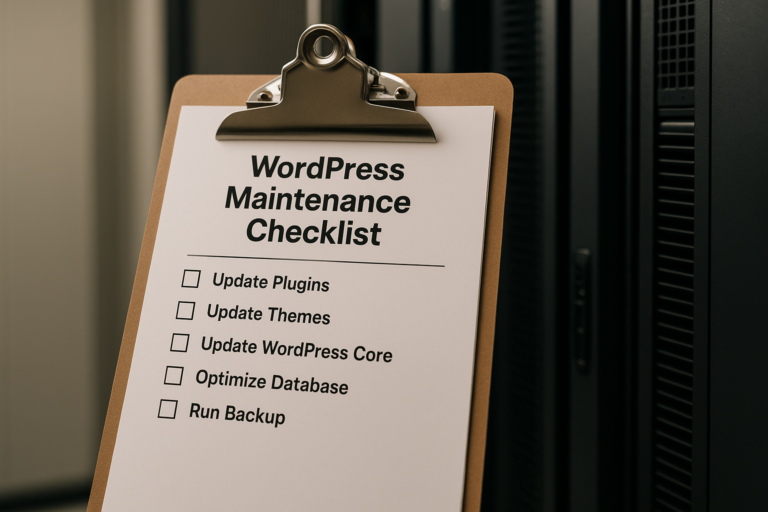
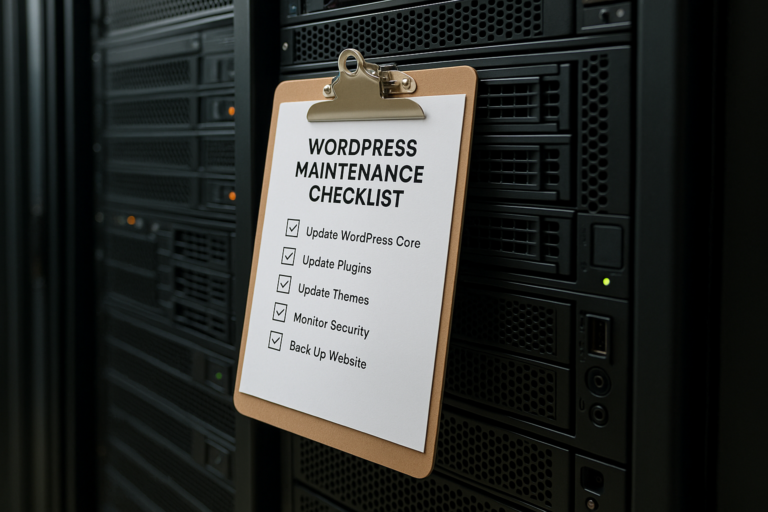
A Practical Monthly WordPress Care Plan Checklist
For many business owners, the easiest approach is to follow the same sequence each month. A dependable WordPress care plan checklist might look like this:
- Confirm recent backups are complete and available.
- Update WordPress core if needed.
- Update plugins and remove unused ones.
- Update the active theme and review templates.
- Update Elementor and related add-ons, then check page layouts.
- Test contact forms, bookings, checkout, and other key functions.
- Review security settings, users, and alerts.
- Check site speed and clear or refresh caching if needed.
- Scan for broken links, missing images, and display issues.
- Review important content for accuracy and relevance.
- Check analytics, indexing status, and technical alerts.
- Clean up spam, clutter, and old unused components.
- Review hosting, SSL, and renewals.
This type of checklist helps turn maintenance into a routine rather than an afterthought. It also makes it easier to document what was updated and when.
Important Considerations Before Running Updates
Although monthly updates are important, they should be handled thoughtfully. Updating everything at once without preparation can create problems, especially on websites with many moving parts.
Before making changes, keep these considerations in mind:
- Always verify backups first.
- Use a staging site when possible for major updates or design-heavy websites.
- Review changelogs for plugins and themes with critical site roles.
- Update during lower-traffic times if the site is business-critical.
- Test immediately after updates so issues can be identified quickly.
This is particularly important for sites with ecommerce, memberships, appointment systems, or advanced Elementor layouts. Even legitimate updates can create conflicts when multiple tools interact.
When Small Business Owners Need Ongoing Monthly WordPress Support
Some business owners are comfortable handling basic updates themselves. Others prefer professional monthly WordPress support because they do not have the time, technical confidence, or internal process to manage maintenance consistently.
That need becomes more common when a website includes:
- Custom layouts or advanced Elementor builds
- Ecommerce functionality
- Multiple third-party integrations
- Lead generation forms tied to CRM or email tools
- Frequent content updates or landing page changes
In these situations, monthly maintenance is not just about applying updates. It is about protecting the website as a business asset and making sure it continues to support sales, service inquiries, and marketing activity without interruption.
Conclusion
Consistent WordPress maintenance for small business websites is one of the simplest ways to reduce risk and protect long-term website value. A monthly routine helps keep software current, backups reliable, security stronger, and customer-facing features working as expected.
From website backups and security updates to plugin reviews, speed checks, content accuracy, and Elementor website maintenance, each task plays a role in keeping the site stable and professional. Small problems are much easier to fix when they are caught early, and regular care helps prevent the kind of avoidable issues that can cost time, leads, and trust.
Whether managed internally or through dependable monthly WordPress support, a clear WordPress care plan checklist gives small businesses a practical system for maintaining a healthier website month after month.