Your website may be getting traffic, but traffic alone does not grow a business. If visitors are landing on your pages and leaving without calling, filling out a form, requesting a quote, or making a purchase, something on the site may be quietly working against you.
Many owners ask, why my website is not converting, especially when they have already invested in design, content, or advertising. In many cases, the problem is not one dramatic failure. It is a collection of smaller issues that reduce trust, create friction, or make the next step unclear.
These are some of the most common website problems costing leads for companies across the United States. If you recognize several of them on your own site, there is a good chance they are contributing to lost opportunities.
1. Slow Load Times Drive Visitors Away
Speed is one of the most common conversion issues on business websites. People expect pages to load quickly on both desktop and mobile. If your site takes too long, many visitors leave before they even see what you offer.
This problem is especially costly when traffic comes from Google Ads or other paid campaigns. You are not just losing attention. You are potentially paying for clicks that never become real opportunities.
Slow performance often comes from:
- Oversized images
- Too many plugins or scripts
- Poor hosting
- Unoptimized themes or page builders
- Lack of caching or performance tuning
A visitor who waits too long may assume your business is outdated, disorganized, or less professional than a competitor with a faster website.
Why it hurts conversions
Every extra second adds friction. When users feel friction early, fewer continue to your contact page, booking page, or checkout.
2. Weak Mobile Experience Creates Instant Frustration
A large share of small business traffic now comes from phones. Yet many small business website mistakes still show up most clearly on mobile devices. Text may be too small, buttons may be hard to tap, forms may be awkward, and layouts may break in ways the business owner never noticed on a desktop screen.
A website that is technically mobile-responsive is not always truly mobile-friendly. Good mobile usability means visitors can quickly understand the page, find key information, and take action without pinching, zooming, or hunting around.
Common mobile issues include:
- Buttons placed too close together
- Popups that block the screen
- Long paragraphs that are hard to scan
- Menus that are confusing or incomplete
- Contact forms with too many fields
If someone is searching for a service while on the go, the easiest website often wins the lead.
3. Unclear Messaging Leaves Visitors Confused
One of the biggest reasons behind why my website is not converting is simple: visitors do not immediately understand what the business does, who it helps, or why they should choose it.
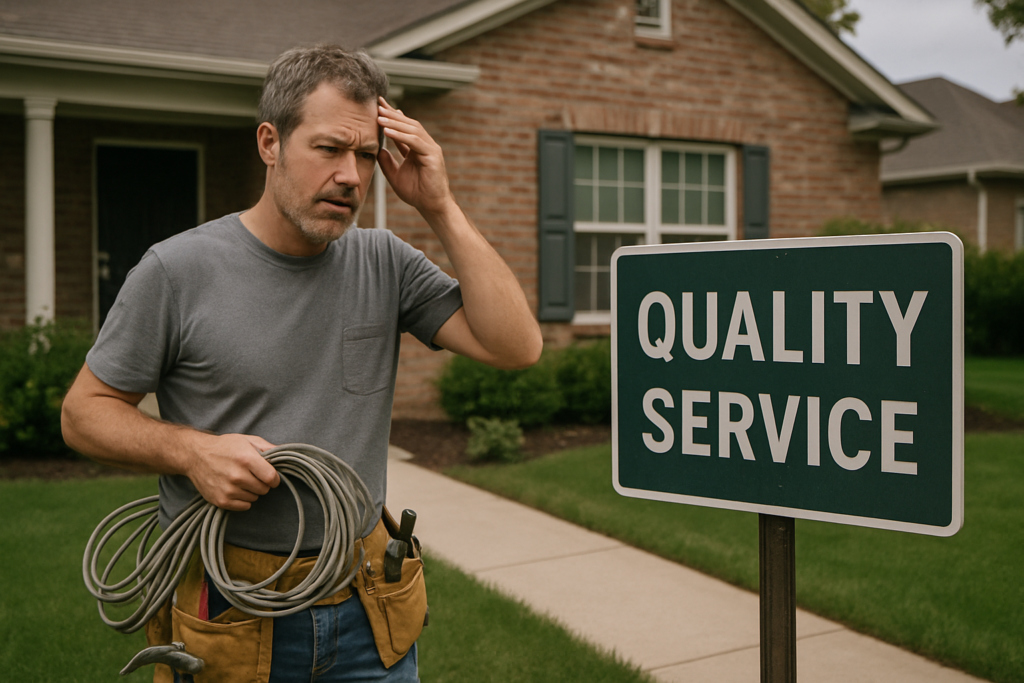
Many homepages focus too much on the business itself and not enough on the customer’s problem. Others rely on vague phrases like “quality service” or “innovative solutions” without explaining anything specific.
When a new visitor arrives, they should be able to answer these questions within seconds:
- What does this business offer?
- Who is it for?
- What problem does it solve?
- What should I do next?
If the answers are unclear, the visitor leaves and continues searching.
Practical example
A contractor’s homepage that says “Building excellence for the future” sounds polished, but it does not clearly explain whether the company handles roofing, remodeling, kitchens, or commercial work. Specific messaging converts better than broad slogans.
4. Poor Navigation Makes Important Information Hard to Find
Your navigation should guide visitors naturally toward the information they need. If menus are cluttered, disorganized, or inconsistent, people get lost. This is one of those website problems costing leads that often goes unnoticed because business owners already know where everything is on their own site.
Visitors do not.
They may be looking for:
- Services
- Pricing information
- Service areas
- Testimonials
- Contact details
- Appointment or quote request options
If those items are hard to locate, some users will not keep digging. They will return to search results and try a competitor.
Good navigation is not about adding more choices. It is about making the most important paths obvious.
5. Calls to Action Are Weak, Missing, or Inconsistent
Many business websites fail to clearly ask the visitor to do something next. That may sound basic, but weak calls to action are a major cause of conversion issues on business websites.
Your site may provide useful information, but if it does not guide the visitor toward a logical next step, many people will simply leave after browsing.
Examples of strong calls to action include:
- Request a quote
- Schedule a consultation
- Call now
- Book an appointment
- Get pricing
- Send a message
Calls to action should be easy to find and repeated in sensible places throughout the site, especially on service pages. They should also match the page’s intent. A visitor reading about a service should not have to search the footer just to contact you.
Inconsistent CTA language can also create hesitation. If one page says “Contact Us,” another says “Learn More,” and another says “Get Started” without clear differences, users may be less sure what happens next.
6. Outdated Design Reduces Trust
Design affects credibility more than many small businesses realize. An outdated website does not merely look old. It can create doubt about whether the company is active, reliable, or detail-oriented.
This does not mean every business needs flashy design trends or dramatic animations. It means the website should feel current, clean, and professional.
Trust can drop when a website includes:
- Old-fashioned layouts
- Inconsistent fonts and colors
- Low-quality images
- Crowded pages
- Broken visual spacing
- Outdated copyright dates or stale content
First impressions happen quickly. Before people compare your process or pricing, they often judge professionalism based on what they see.
Why this matters for lead generation
When a user is considering multiple businesses that offer similar services, trust signals often decide who gets the inquiry. Design is one of those signals.
7. Contact Forms Create Too Much Friction
Sometimes the problem is not getting visitors interested. It is what happens when they are ready to reach out.
Long, confusing, or unreliable forms are classic small business website mistakes. If someone wants to contact you and the process feels tedious, they may abandon it.
Common form issues include:
- Too many required fields
- Unclear instructions
- Technical errors after submission
- No confirmation message
- Forms that are difficult to use on mobile
- Requests for information that is unnecessary at the first step
In many cases, the best form is short and simple. Name, contact details, and a brief message are often enough to start a conversation.
It is also important to test forms regularly. Some businesses lose leads for weeks without realizing submissions are not being delivered properly.
8. Missing Trust Signals Make Visitors Hesitate
People rarely become leads based on claims alone. They want evidence that your business is legitimate, experienced, and capable of delivering what it promises.
When trust signals are missing, visitors may hesitate even if they like your services. This is one of the most overlooked website problems costing leads.
Useful trust elements can include:
- Testimonials
- Case studies or project examples
- Clear service descriptions
- Professional team or company information
- Accurate contact details
- Privacy policy and basic legal pages
- Secure browsing with HTTPS
The goal is not to overwhelm visitors with proof. It is to reduce uncertainty.
If your website asks people to trust you without showing any supporting signals, some will delay contacting you or move on entirely.
9. Service Pages Are Too Thin or Too Generic
Many business websites list services briefly without explaining enough to help the visitor make a decision. Thin service pages can hurt both SEO and conversions.
From a search perspective, weak content gives search engines less context about what the page is about. From a user perspective, generic content leaves important questions unanswered.

A strong service page should usually explain:
- What the service includes
- Who it is for
- Common problems it solves
- What makes the approach different
- What the next step is
If every service page uses nearly identical wording, visitors may not feel confident that your business truly understands their needs.
This is especially important for companies in competitive industries where prospects compare several providers before reaching out.
10. The Website Is Not Being Maintained
Some of the most expensive conversion issues on business websites develop slowly over time. A site may launch in good condition, then gradually lose performance and reliability as software ages, plugins conflict, forms break, layouts shift, or content becomes outdated.
Without maintenance, even a professionally built website can start costing leads quietly.
Common maintenance-related problems include:
- Broken links
- Outdated plugins
- Security vulnerabilities
- Slowdowns after updates
- Expired integrations
- Missing backups
- Old business information
Website maintenance is not only a technical concern. It is part of conversion optimization. A secure, current, working site gives visitors a smoother experience and protects the pathways that turn traffic into inquiries.
How to Identify Which Problems Are Affecting Your Website
If you are wondering why my website is not converting, start by reviewing the site from a visitor’s point of view rather than an owner’s point of view.
Look at your website and ask:
- Does the homepage clearly explain what we do?
- Can someone find our main services quickly?
- Is the mobile experience easy to use?
- Do pages load fast enough?
- Are calls to action obvious?
- Do forms work properly?
- Does the design build trust?
- Are service pages specific and useful?
- Is there enough proof that we are credible?
- Has the site been maintained recently?
It is often helpful to test the site on multiple devices, ask someone unfamiliar with the business to navigate it, and review analytics for pages with high exit rates or low engagement.
Sometimes a website does not need a total rebuild. It may simply need focused improvements in the areas creating the most friction.
Why Small Problems Add Up to Big Lead Losses
Most lost leads do not come from one dramatic error. They come from a chain of minor obstacles.
A visitor clicks your ad, waits on a slow page, sees vague messaging, struggles with the mobile layout, cannot find the right service page, and gives up before submitting the form. Each issue may seem small in isolation, but together they reduce performance significantly.
That is why many small business website mistakes stay unnoticed for long periods. The website still exists, still gets some traffic, and still receives occasional inquiries. But it is underperforming compared to what it could do with stronger usability, clearer messaging, better trust signals, and proper ongoing support.
Conclusion
Your website should do more than look professional. It should help turn visitors into real business opportunities.
If leads feel inconsistent, or if you are investing in SEO or advertising without seeing enough results, it is worth examining whether these website problems costing leads are present on your site. Slow speed, weak mobile usability, unclear messaging, poor navigation, ineffective calls to action, outdated design, high-friction forms, missing trust signals, thin service pages, and lack of maintenance can all quietly reduce conversions.
The good news is that these issues are often fixable. When addressed strategically, they can improve user experience, strengthen trust, and create a website that supports growth instead of holding it back.