
A business website is never truly finished. Once a site goes live, it needs ongoing attention to stay secure, fast, accurate, and useful. For companies in Miami, Florida, monthly website maintenance and support can make the difference between a website that helps the business grow and one that quietly creates problems in the background.
Whether a company relies on WordPress or another platform, regular web maintenance helps prevent avoidable issues. Broken forms, outdated plugins, slow page speed, expired integrations, and security vulnerabilities can affect customer trust and search visibility. In a competitive market like Miami, where people often compare businesses quickly online, a neglected website can hurt first impressions and lead generation.
This article explains what monthly website support includes, why it matters, and what Miami businesses should look for when building a practical maintenance routine. It also covers how a web expert approaches long-term website health, especially for local companies that depend on consistent performance.
Why Monthly Website Maintenance Matters
Many business owners invest significant time and budget into building a website, then assume the hard work is done. In reality, websites are dynamic systems. Software changes, browsers update, content ages, user behavior shifts, and security risks evolve. Without regular support, even a professionally built website can become outdated or unreliable.
Monthly web maintenance helps a business stay proactive instead of reactive. Rather than waiting for something to break, a maintenance plan focuses on prevention, monitoring, and small improvements over time. This often leads to a better user experience and fewer costly emergencies.
For Miami businesses, this can be especially important because local competition is strong across industries such as hospitality, legal services, healthcare, real estate, home services, retail, and professional consulting. A website is often one of the first places a potential customer evaluates a business. If the site is slow, hard to use, or no longer accurate, that visitor may leave and choose another company.
What Website Support Typically Includes Each Month
Website support can vary based on the platform, complexity, and goals of the business. Still, most monthly maintenance work falls into several core categories.
Software Updates
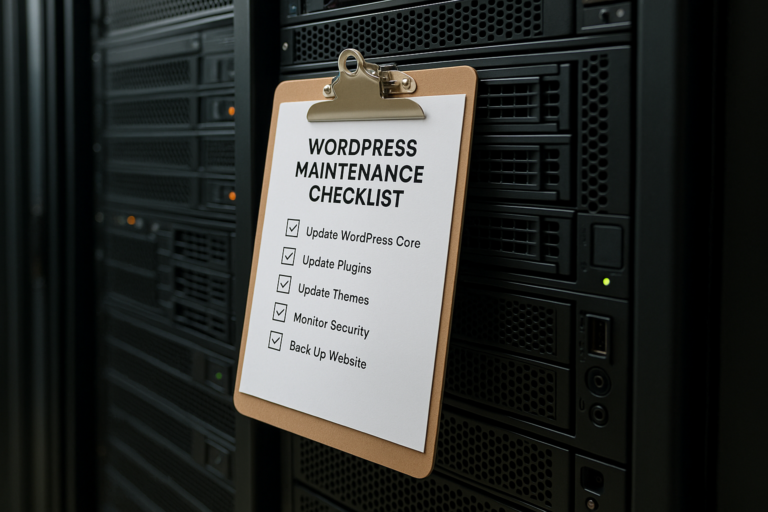
For a WordPress website, regular updates usually include the WordPress core, themes, and plugins. These updates may improve security, fix bugs, maintain compatibility, and add performance improvements. On other platforms, maintenance may involve app updates, extension reviews, and version compatibility checks.
Updates should not be handled carelessly. A skilled web expert typically reviews what is changing, checks for known conflicts, and tests important pages or functions after updates are applied. This is especially important for websites with custom features, online payments, appointment booking, or form integrations.
Security Monitoring
Website security is not only a concern for large companies. Small and mid-sized business websites are common targets for automated attacks, spam submissions, malware injections, and login abuse. Monthly website support often includes security scans, login protection reviews, user account checks, and monitoring for suspicious changes.
Good web maintenance also includes basic preventive steps such as keeping software current, removing unused plugins or themes, reviewing administrator access, and watching for signs of compromise. If a security issue does occur, having a support process in place can reduce downtime and help the business respond more quickly.
Backups and Recovery Readiness
Reliable backups are one of the most important parts of website maintenance. If an update fails, a page is deleted by mistake, or a security incident occurs, a recent backup can make recovery much easier. Monthly support should include backup verification, not just backup creation. A backup only has real value if it can be restored successfully when needed.
For example, a Miami service business might update a contact page, add seasonal promotions, and publish new portfolio content every month. If a technical error causes the site to fail, restoring an outdated or incomplete backup may mean losing important business data and content changes.
Performance Checks
Website speed affects user experience, conversions, and search visibility. Monthly maintenance often includes checking page load performance, image size, caching behavior, mobile usability, and script-related slowdowns. Over time, websites can become heavier as new plugins, videos, design elements, and tracking tools are added.
A web expert may identify opportunities such as compressing oversized images, cleaning up unnecessary code, improving hosting settings, or reducing third-party requests. For businesses in Miami with customers browsing on mobile devices, performance optimization is especially relevant.
Form and Function Testing
One of the most common website problems is also one of the easiest to overlook: broken forms. A contact form may appear normal on the front end while silently failing to send submissions. Booking tools, quote request forms, email signup fields, and checkout features also need regular testing.
Monthly website support should include testing critical website functions so the business does not miss leads or customer inquiries. This can include:
- Contact and quote request forms
- Call-to-action buttons
- Appointment scheduling tools
- Newsletter signup integrations
- E-commerce checkout processes
- Mobile navigation and menus
For many businesses, even a short period of unnoticed form failure can result in lost revenue opportunities.
Content and Link Review
Website content should stay accurate and current. Monthly web maintenance may involve reviewing business hours, staff information, service descriptions, promotions, location details, and calls to action. It can also include checking for broken links, missing images, layout issues, and outdated references.
This is particularly useful for local businesses that experience seasonal changes, service updates, or evolving customer expectations. In Miami, where tourism, events, weather patterns, and market activity can influence customer behavior, keeping website content current supports credibility.
The Special Role of WordPress Maintenance
WordPress powers a large portion of the web because it is flexible, scalable, and user-friendly. It can be an excellent platform for business websites, blogs, service pages, landing pages, and even online stores. However, that flexibility also means WordPress requires consistent maintenance.
A WordPress website usually depends on a mix of core software, a theme, and plugins. Each of these components can affect site stability and security. If one plugin becomes outdated or conflicts with another tool, the site may display errors, lose functionality, or slow down.
Monthly WordPress maintenance often includes:
- WordPress core updates
- Theme and plugin updates
- Database optimization
- Spam cleanup
- Security checks
- Backup verification
- Page and feature testing
- Performance monitoring
Businesses that depend on WordPress should avoid the assumption that automatic updates alone are enough. Automation can help, but oversight still matters. A web expert can identify whether a plugin should be replaced, whether a theme is becoming outdated, or whether a site structure is causing technical SEO problems.
Why Miami Businesses Need Ongoing Web Maintenance
Every local market has its own digital pressures, and Miami is no exception. Businesses in Miami often serve a fast-moving, mobile-first audience that expects clear information, polished presentation, and easy contact options. A website that is difficult to navigate or appears outdated can reduce trust quickly.
Monthly website support is especially valuable in Miami because many businesses rely heavily on local search, seasonal traffic, and reputation-driven conversions. If users search for a service and land on a website with inaccurate content, broken mobile layouts, or missing updates, that opportunity may be lost immediately.
Some examples include:
- A law firm whose consultation form stops working after a plugin update
- A restaurant with outdated menus or incorrect hours on key pages
- A real estate website showing broken listing galleries
- A home service company with slow mobile pages during peak lead periods
- A medical or wellness practice with outdated staff or location information
These are not unusual issues. They are common maintenance problems that can be reduced through monthly support and consistent review.
Benefits of Working With a Web Expert
Some businesses try to manage everything internally, while others prefer professional website support. The best choice depends on available time, in-house experience, and the complexity of the website. Still, many companies benefit from working with a web expert because maintenance is not just about clicking update buttons.
A qualified professional brings a broader understanding of how design, hosting, content, user experience, performance, security, and search visibility interact. This helps support better decisions over time.
Faster Problem Detection
An experienced web expert often spots early warning signs before they become major issues. For example, subtle layout shifts, recurring plugin errors, unusual login patterns, or rising page load times may indicate deeper technical problems that a business owner might not notice.
Safer Updates
Updating software without a plan can lead to compatibility problems. A professional support process can include backups, staging environments, testing, and rollback options. This reduces the risk of update-related downtime.
Better Use of Business Time
Business owners and internal teams usually have more valuable work to focus on than troubleshooting website issues. Outsourcing monthly web maintenance can free time for operations, sales, client service, and growth strategy.
Consistent Improvement
Monthly support is not only about avoiding problems. It can also support gradual progress. Small improvements to user flow, content clarity, calls to action, technical settings, and page speed can build meaningful results over time.
Key Areas to Review Every Month
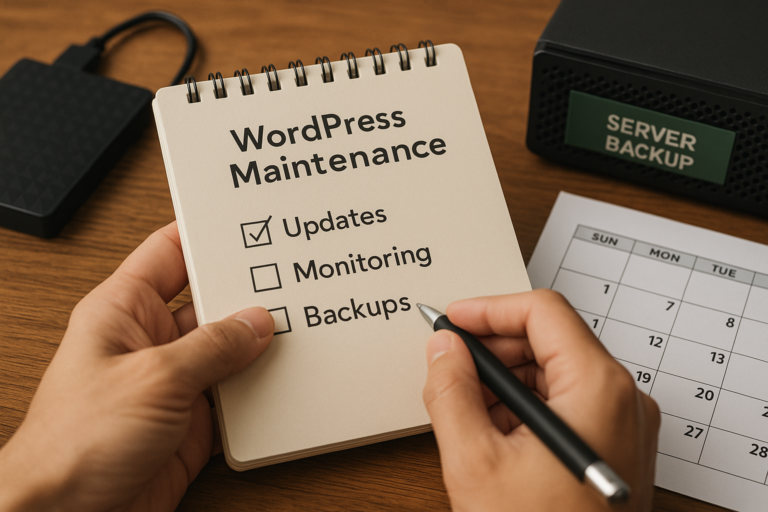
A practical website maintenance routine should be structured. Even a smaller business website benefits from a checklist that covers essential areas consistently.
1. Security and Access
Review user accounts, remove unnecessary access, confirm login protection measures, and scan for malware or suspicious activity. Old administrator accounts and weak passwords are common risks.
2. Backups
Confirm that backups are completing properly and that restore points are recent. If possible, test backup restoration periodically rather than assuming the files are usable.
3. Software Health
Update WordPress core, themes, and plugins where appropriate. Review whether any plugins are abandoned, unnecessary, or creating conflicts.
4. Functionality
Test forms, menus, buttons, clickable phone numbers, mobile layouts, checkout paths, and other conversion-focused elements. A business website should not leave these core features unchecked.
5. Content Accuracy
Review pages for outdated wording, incorrect contact details, expired promotions, and missing images. Keep service information aligned with the current business offering.
6. Performance
Check load speed, image optimization, script behavior, and mobile usability. A website that gradually becomes slower may not trigger immediate alarms, but it can still affect user behavior.
7. SEO Foundations
Monthly maintenance should support basic SEO health. This includes checking page titles, redirects, indexing issues, crawl errors, and broken links. Technical issues can accumulate quietly and reduce visibility over time.
How Web Maintenance Supports SEO
Search engine optimization is not limited to keywords and content. Technical website health plays an important role in how search engines crawl, understand, and rank pages. Monthly website support helps preserve that technical foundation.
For example, broken internal links, duplicate pages, slow loading times, mobile usability problems, and missing metadata can all undermine SEO performance. If important pages stop functioning or become difficult to access, search visibility may suffer.
Routine web maintenance can support SEO by helping to:
- Keep important pages accessible
- Reduce crawl errors and broken links
- Improve page speed and mobile performance
- Maintain clean site structure and navigation
- Ensure contact and conversion pages remain usable
- Preserve trust through accurate, updated content
For Miami businesses trying to compete in local search, website reliability is not separate from SEO. It is part of it.
Common Signs a Website Needs Better Monthly Support
Some websites clearly show signs of neglect, while others appear acceptable on the surface but have hidden problems. Business owners should watch for patterns that suggest maintenance is not keeping up.
Common warning signs include:
- Frequent plugin or theme update notices left unresolved
- Slow load times, especially on mobile
- Broken contact forms or missing submissions
- Layout issues after updates
- Spam comments or suspicious admin users
- Outdated service pages or staff details
- Broken images, links, or embedded media
- Recurring downtime or hosting warnings
- Confusion about backup status
If several of these issues are present, monthly website maintenance is likely overdue.
Practical Examples of Monthly Maintenance in Action
It can help to think about web maintenance in real-world terms rather than as a purely technical service.
Example: Professional Services Firm
A Miami consulting firm uses its website to generate discovery calls. Monthly support includes checking its contact forms, updating staff bios, improving mobile speed, and confirming that tracking tools are still recording conversions accurately. These tasks help the site remain a dependable lead-generation asset.
Example: Local E-commerce Brand
A small online store based in Miami adds products regularly. Monthly maintenance includes plugin updates, checkout testing, image compression, and security reviews. This reduces the chance of a failed transaction or slow product page during active sales periods.
Example: Home Services Business
A contractor depends on mobile visitors who need quick access to services, service areas, and quote forms. Monthly web maintenance keeps phone links working, landing pages updated, maps embedded correctly, and form notifications routed properly.
These examples show that website support is not abstract. It directly affects everyday business operations.
What to Look for in a Monthly Website Maintenance Process
Not all maintenance approaches are equally thorough. A useful monthly process should be organized, deliberate, and tailored to the website’s purpose.
Important considerations include:
- A clear update and testing routine
- Regular backups with recovery planning
- Security oversight and access review
- Performance monitoring
- Attention to content accuracy
- Support for WordPress-specific needs if applicable
- Documentation of issues found and actions taken
Businesses should also think about responsiveness. When a website issue appears, delays can affect leads, sales, and customer trust. Having a support structure in place makes problem resolution more manageable.
Monthly Maintenance vs. Emergency Fixes
Some companies only seek website help when something has already gone wrong. While emergency repair is sometimes unavoidable, it is rarely the most efficient or cost-effective way to manage a business website.
Emergency fixes often happen under pressure. The site may already be down, form leads may be lost, or customer trust may be affected. Diagnosing problems in that situation can take longer and may require more extensive repairs.
By contrast, ongoing monthly website support reduces surprises. It encourages steady oversight, routine testing, and earlier detection of issues. In many cases, that means smaller problems are resolved before they interrupt the business.
Building a Stronger Website Over Time
The best maintenance plans do more than preserve the status quo. They create a foundation for gradual improvement. Each month can be an opportunity to refine content, improve usability, strengthen performance, and support digital marketing goals.
For example, a business may start with basic web maintenance such as updates, backups, and security reviews. Over time, that process can expand to include landing page improvements, conversion path testing, image optimization, and technical SEO cleanup. The result is a website that not only stays functional but becomes more effective.
For Miami businesses, this steady approach is often more practical than waiting for a complete redesign every few years. A website that is maintained consistently can adapt more easily to changes in customer expectations, search behavior, and business priorities.
Conclusion
Monthly website maintenance and support are essential for businesses that want their website to remain secure, professional, and useful. In Miami, where competition is high and first impressions matter, a neglected website can create avoidable risks. Slow performance, broken forms, outdated content, and missed updates do more than cause technical frustration; they can directly affect lead generation, credibility, and customer experience.
Regular web maintenance helps businesses stay ahead of these issues. It supports software health, security, backups, performance, content accuracy, and ongoing usability. For WordPress websites in particular, monthly support is a practical way to manage updates and reduce the risk of plugin conflicts or security problems.
A well-maintained website is easier to trust, easier to use, and easier to grow. With a consistent process and the guidance of a knowledgeable web expert, a business website can continue serving customers effectively month after month.