For many small businesses, a website is not a one-time project. It is an active business tool that needs regular attention to stay secure, fast, accurate, and effective. A WordPress site may look fine on the surface while hidden problems build up behind the scenes. Outdated plugins, failed backups, malware risks, slow-loading pages, broken forms, and unnoticed errors can all affect customer trust and lead generation.
That is why consistent WordPress maintenance for small business websites matters. A structured monthly routine helps reduce technical issues, prevent downtime, protect your content, and keep your website working the way customers expect. Whether you manage your site internally or rely on a website support plan, knowing what should be reviewed each month helps you make better decisions and avoid expensive surprises.
This guide explains the most important areas of monthly website maintenance, including updates, monitoring, backups, and security best practices for WordPress websites used by U.S. small businesses.
Why monthly WordPress maintenance matters
WordPress is flexible, widely used, and powerful, but it also depends on a living software environment. Your website may rely on WordPress core files, a theme, several plugins, your hosting server, your database, third-party integrations, analytics tools, forms, and sometimes e-commerce or booking functions. Each of those components can change over time.
Without routine maintenance, problems can develop slowly and then appear all at once. For example:
- A plugin update may become overdue and leave a known security vulnerability exposed.
- A form may stop sending leads without anyone noticing.
- An expired SSL certificate or server issue may cause warning messages.
- Database clutter may slow down page speed.
- A failed backup may leave no recovery option when something breaks.
- Theme or plugin conflicts may affect mobile layout, checkout pages, or service pages.
Small businesses often depend on their websites for inquiries, quote requests, appointment scheduling, online sales, and trust-building. Even a short interruption can affect revenue and credibility. Monthly maintenance helps catch issues early, before customers do.
What to update each month
Software updates are one of the core parts of effective WordPress backup and security and performance management. Updates should never be treated casually, but they should also not be ignored.
WordPress core
WordPress regularly releases core updates for security, bug fixes, feature improvements, and compatibility. Keeping the core installation current reduces exposure to known vulnerabilities and helps maintain compatibility with modern hosting environments and plugins.
Before applying major core updates, it is wise to confirm that a recent backup exists and that your plugins and theme are likely to remain compatible. On business-critical websites, testing updates in a staging environment is often the safest approach.
Themes
Your WordPress theme controls design, layout, and in many cases key front-end functionality. Theme updates may include security patches, accessibility improvements, code refinements, and compatibility updates for newer versions of WordPress or PHP.
If your site uses a custom theme, updates should be handled carefully so changes are not overwritten. Child themes and documented development practices are important when customizations are involved.
Plugins
Plugins are often the most common source of security risk and compatibility problems. A typical small business site may use plugins for forms, SEO, caching, image optimization, backups, security scanning, page building, e-commerce, analytics, and spam protection.
Each month, review all installed plugins and ask:
- Are they updated?
- Are they still actively maintained by the developer?
- Are any unused or inactive plugins still installed?
- Are any plugins duplicating the same function?
Unused plugins should usually be removed, not simply deactivated. The fewer unnecessary components on a site, the lower the maintenance burden and the lower the risk of conflicts or vulnerabilities.
PHP version and hosting environment
Many business owners focus on dashboard updates but overlook the hosting side of maintenance. Your website server, PHP version, database version, caching system, and SSL configuration also affect speed, compatibility, and security.
Each month, it is smart to verify that your hosting environment remains current and stable. If your website runs on an outdated PHP version, it may perform poorly or become more vulnerable. A reliable website support plan should include ongoing awareness of server-side requirements, not just visible page edits.
What to monitor each month
Updating software is only part of the job. You also need to monitor whether the website is actually functioning well for visitors and search engines.
Website uptime
A website that goes offline after business hours can still cost leads. Monthly review of uptime logs or monitoring alerts can reveal hosting instability, DNS issues, SSL problems, or server outages. Some issues are brief and easy to miss without automated monitoring.
Even if downtime seems infrequent, repeated interruptions can affect customer trust and potentially search visibility.
Page speed and performance
Page speed affects user experience, mobile engagement, and conversion rates. A site that becomes slower over time may suffer from bloated plugins, oversized images, script conflicts, database overhead, or hosting limitations.
Monthly website maintenance should include checking:
- Load times on key pages
- Mobile performance
- Image optimization status
- Caching behavior
- Core Web Vitals trends where relevant
Performance monitoring is not only about technical scores. It is about making sure visitors can quickly access service pages, contact forms, and sales information without friction.
Forms, calls to action, and conversion paths
One of the most overlooked maintenance tasks is testing lead-generation features. A contact form may appear normal while submissions fail silently because of email delivery issues, CAPTCHA conflicts, SMTP problems, or plugin changes.
Each month, test the website’s most important actions:
- Contact forms
- Quote request forms
- Appointment requests
- Checkout or cart functions
- Click-to-call links on mobile
- Email signup forms
- Download buttons and landing page conversions
For many small businesses, one broken form can mean missed leads for days or weeks.
Security warnings and suspicious activity
Security monitoring should be part of every small business website routine. Review malware scans, failed login attempts, firewall alerts, file change notifications, and administrator account activity.
Warning signs may include:
- Unexpected admin users
- Modified files without explanation
- Spikes in login attempts
- Redirects to suspicious pages
- Search console warnings
- Hosting abuse notices
Good WordPress backup and security practices combine prevention with detection. Firewalls, strong passwords, limited admin access, two-factor authentication, and security plugins can all help, but ongoing review is what turns tools into a real process.
Broken links and visual errors
Over time, websites accumulate small issues such as broken links, missing images, outdated staff pages, layout shifts, or buttons that no longer work correctly on mobile devices. These details can damage trust even if the website is technically online.
Monthly spot checks should include major pages such as:
- Home page
- Main service pages
- About page
- Contact page
- Blog archive
- Checkout or booking pages
Review both desktop and mobile versions. A site can look fine on one screen size and problematic on another.
Analytics and traffic patterns
Maintenance is not limited to server health. A monthly review of analytics and search data can help identify developing issues. If traffic drops sharply, form conversions decline, or top landing pages suddenly underperform, technical causes may be involved.
Look for patterns such as:
- Sharp declines in organic traffic
- Landing pages with high bounce rates
- Reduced contact form completions
- Increases in 404 errors
- Pages no longer indexed properly
This type of monitoring helps connect technical maintenance with business outcomes.
What to back up each month
Backups are one of the most important parts of monthly website maintenance, but many businesses assume they are protected without verifying how backups actually work.
Files and media
Your website files include theme files, plugin files, uploads, code customizations, and other structural elements. Media files such as images, PDFs, and videos may represent years of accumulated business content.
Monthly maintenance should confirm that file backups are being created successfully and stored in a secure location outside the live server when possible.
Database
The database contains the content and settings that make your website function. Pages, posts, forms, user accounts, menus, plugin settings, WooCommerce data, and much more may live in the database.
A file backup without a reliable database backup is often not enough to restore a functional site. For that reason, complete backup routines should cover both.
Backup frequency and retention
Monthly verification is important, but actual backup frequency may need to be more frequent than once per month. A website updated regularly with blog posts, products, orders, appointments, or leads may require daily or even real-time backups.
What matters each month is confirming:
- Backups are running on schedule
- Backups include both files and database
- Backup retention is adequate
- Offsite copies exist
- Restore points are accessible
Many businesses discover backup problems only when they need to restore a broken site. Verification should happen before an emergency.
Restore testing
The real value of a backup is not that it exists. The real value is that it can be restored successfully. If possible, periodic restore testing in a staging environment provides confidence that recovery will work when needed.
This is especially important for sites with custom functionality, WooCommerce settings, booking tools, memberships, or API integrations.
A practical monthly website maintenance checklist
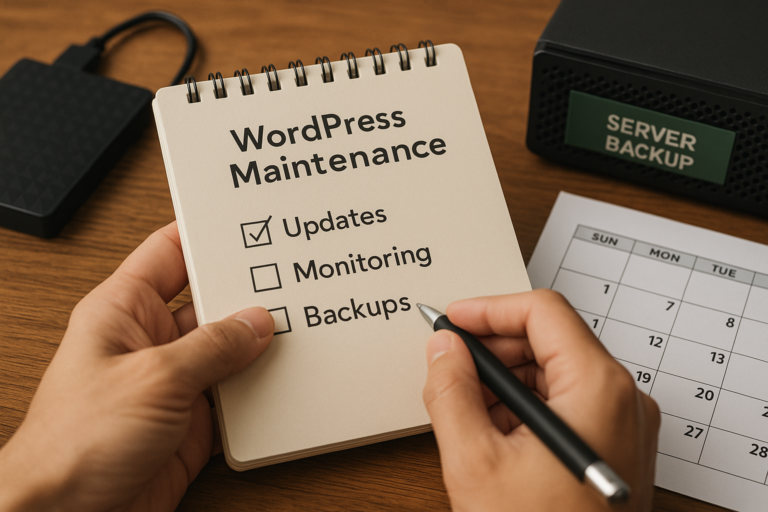
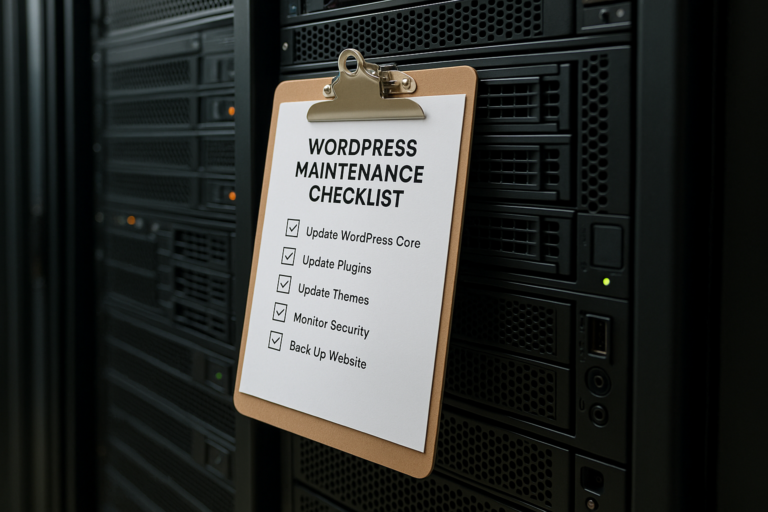
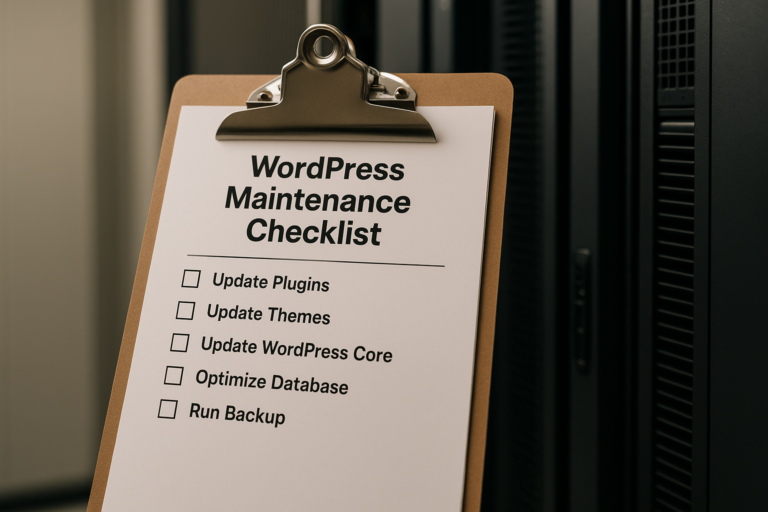
For small businesses, the most effective approach is often a repeatable checklist. A monthly maintenance routine may include:
- Create or verify a fresh backup before updates
- Update WordPress core, theme, and plugins carefully
- Remove unused plugins or themes
- Check website uptime reports
- Review security scans and login activity
- Test forms, checkout, booking, and contact functions
- Check major pages on desktop and mobile
- Review page speed and caching behavior
- Scan for broken links or visible errors
- Confirm SSL, domain, and hosting health
- Review analytics and search performance for anomalies
- Confirm backups are complete and restorable
The exact process may vary depending on the complexity of the site, but these steps cover the main risk areas for most service businesses, local companies, professional firms, and online stores using WordPress.
When a website support plan makes sense
Some small business owners prefer to handle basic maintenance themselves. That can work for simpler websites if someone on the team has time, technical confidence, and a consistent process. However, many growing businesses find that maintenance is easy to postpone, especially when daily operations are busy.
A professional website support plan can be valuable when:
- Your site is important for leads or revenue
- You use multiple plugins or custom features
- You run WooCommerce or booking systems
- You want updates tested carefully
- You need regular backups and security monitoring
- You want fast help when something breaks
- You want continuity from someone who understands your website over time
The best support arrangements are proactive rather than reactive. Instead of waiting for errors, they focus on preventing problems, monitoring performance, and keeping the website aligned with business needs.
Common maintenance mistakes small businesses should avoid
Even well-intentioned website owners can make avoidable mistakes. A few of the most common include:
Ignoring minor issues
Small visual glitches, warning notices, or plugin alerts may seem unimportant at first. Over time, however, these can signal larger compatibility or security problems.
Updating without a backup
Applying updates directly to a live site without a verified backup increases risk. If an update causes a conflict, you need a recovery path.
Using too many plugins
Adding plugins for every small feature can create unnecessary complexity, slower performance, and more maintenance points.
Assuming hosting handles everything
Some hosting providers offer backups or security tools, but those services vary widely. Businesses should understand exactly what is included and what is not.
Forgetting mobile testing
Many visitors use phones first. Monthly checks should always include mobile navigation, speed, forms, and visual layout.
Not documenting access and processes
If only one person knows where backups are stored, how the DNS is configured, or which plugins are critical, recovery becomes harder during emergencies. Good maintenance includes organized documentation.
The business value of consistent maintenance
Monthly maintenance may sound technical, but the business benefits are practical. A properly maintained WordPress website is more likely to stay online, load quickly, protect customer data, support marketing efforts, and generate leads without interruption.
For small businesses across the United States, the website often plays several roles at once: salesperson, credibility builder, customer service channel, and lead-generation platform. Keeping it current is part of protecting the business itself.
Strong WordPress maintenance for small business websites is not just about software updates. It is about reducing risk, preserving performance, and making sure your digital presence continues to support growth month after month.
Conclusion
WordPress websites need regular care to remain secure, functional, and effective. A monthly process focused on updates, monitoring, and backups can help small businesses avoid downtime, catch issues earlier, improve user experience, and protect valuable website data.
Whether your company manages these tasks internally or through a website support plan, the key is consistency. Review the software that powers the site, monitor how the site performs for real users, and verify that backups are complete and recoverable. Over time, that routine can prevent many of the most common website problems before they disrupt your business.
In short, monthly website maintenance is not optional for a business website that needs to stay reliable. It is a practical part of long-term digital stability, stronger security, and better online performance.