For small businesses, a website should do more than explain services. It should help turn visitors into real leads. One of the most important decisions in that process is choosing the right way for people to contact you. Should you use live chat, AI chat, a traditional contact form, or a call-first approach?
There is no single answer that works for every business. The best website chat for small business websites depends on how your customers prefer to communicate, how quickly your team can respond, what services you offer, and how qualified a lead needs to be before your staff gets involved.
Some businesses benefit from immediate phone calls. Others need structured forms to collect project details. Some can improve response speed and after-hours engagement with AI chat for service business website visitors. Many businesses do best with a combination of tools rather than relying on only one.
In this guide, we will compare the most common website lead capture options, explain where each one performs best, and help you decide what setup makes the most sense for your business goals.
Why Your Contact Method Matters More Than Many Businesses Realize
When someone visits your website, they often have a specific purpose. They may want a quote, need fast answers, want to compare providers, or simply confirm that your company looks trustworthy and responsive. If your website makes communication difficult, slow, or confusing, that visitor may leave and contact a competitor instead.
Your contact method affects several important outcomes:
- How many leads your website generates
- How qualified those leads are
- How quickly prospects hear back from you
- How much staff time is required to manage inquiries
- How professional and accessible your business appears
This is why the live chat vs contact form decision is not just a design preference. It is a conversion strategy decision.
The Main Website Lead Capture Options
Most small business websites rely on one or more of these core options:
- Live chat for real-time human conversations
- AI chat for automated answers and guided lead capture
- Contact forms for structured inquiry collection
- Call-first design that prioritizes phone calls as the main conversion action
Each option has strengths, limitations, and ideal use cases.
Quick Comparison of Live Chat, AI Chat, Forms, and Call-First
| Option | Best For | Main Advantage | Main Limitation |
|---|---|---|---|
| Live Chat | Businesses with staff available to reply quickly | Personal, real-time interaction | Requires human availability and consistent response times |
| AI Chat | Businesses wanting 24/7 engagement and basic automation | Instant responses and lead capture outside business hours | Needs careful setup to avoid poor or inaccurate interactions |
| Contact Forms | Businesses needing detailed inquiries or quote requests | Structured information collection | Less immediate and may feel slower to users |
| Call-First | Urgent services or businesses that close deals by phone | Fastest path to direct conversation | Some visitors are not ready to call right away |
Live Chat: Best for Real-Time Human Interaction
Live chat allows website visitors to ask questions and get responses from a real person while they are still browsing your website. For many service-based businesses, this can reduce hesitation and help move a prospect toward booking, requesting a quote, or making a call.
When Live Chat Works Well
Live chat is especially effective when:
- Your team can respond quickly during business hours
- Prospects often have pre-sale questions
- Your services involve trust and personalization
- You want to qualify leads before scheduling a call
- Your business handles competitive inquiries where speed matters
For example, a legal office, consulting firm, home services company, or healthcare-related practice may benefit from giving visitors a quick way to ask whether the business handles a certain issue or service type before submitting a request.
Advantages of Live Chat
- Creates a more personal experience
- Can reduce bounce rates when visitors have questions
- Helps staff address objections in real time
- Can increase conversions for visitors who do not want to call immediately
- Useful for lead qualification and routing
Limitations of Live Chat
- If responses are slow, chat can create frustration rather than trust
- Requires staffing and operational discipline
- Not every inquiry needs a real-time human response
- Some small businesses do not have enough team capacity to manage it properly

Live chat works best when it is supported by a real response process. If a visitor sees a chat box but waits too long for an answer, that experience can hurt credibility.
AI Chat: Best for 24/7 Engagement and Initial Screening
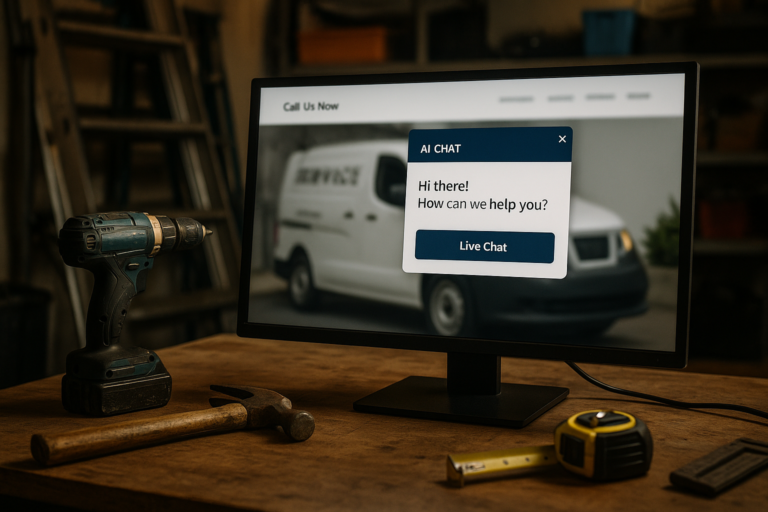
AI chat for service business website visitors has become a practical option for many small businesses. Instead of leaving visitors with only a contact form after hours, AI chat can greet them, answer common questions, collect lead details, and guide them to the next step.
For businesses that receive inquiries outside normal business hours, AI chat can keep the website active and responsive even when staff are unavailable.
What AI Chat Can Do Well
- Answer basic service and business questions
- Collect names, phone numbers, emails, and project details
- Direct users to service pages or booking pages
- Encourage calls when urgent help is needed
- Filter inquiries before they reach your team
Where AI Chat Is Most Useful
AI chat is often a strong fit for businesses that:
- Want after-hours lead capture
- Receive repetitive questions
- Need a first layer of qualification
- Want to improve response speed without adding full-time staff
- Serve visitors who prefer messaging before calling
It can be especially helpful for contractors, clinics, consultants, law firms, repair services, and companies that depend on appointment requests or quote requests.
Important Risks to Consider
AI chat is not automatically a better experience. It must be set up carefully. If it gives vague answers, misunderstands user intent, or makes the visitor work too hard to get help, it can feel impersonal and frustrating.
Good AI chat should do three things well:
- Answer only what it is clearly configured to handle
- Capture lead information efficiently
- Hand off to a human or direct action when needed
For many small businesses, AI chat performs best as an assistant, not a replacement for human communication.
Contact Forms: Best for Structured Lead Collection
Contact forms remain one of the most dependable website lead capture options. They are familiar, easy to manage, and useful when you need detailed information before responding.
While forms do not create the instant interaction of live chat or AI chat, they can still be extremely effective when designed well.
When Contact Forms Are the Right Choice
- Your team needs specific details before replying
- Your sales process involves estimates, consultations, or project scoping
- You want organized submissions sent to the right team member
- Your visitors may contact you outside business hours
- You prefer to respond after reviewing the inquiry
For example, a website redesign request, legal intake, construction quote, or specialized consulting inquiry often benefits from a form because it gathers enough detail to make the next conversation more productive.
What Makes a Contact Form Effective
A good contact form should be easy to find, simple to use, and limited to the fields that truly matter. Too many required fields can reduce submissions. Too few can create back-and-forth delays later.
Strong forms usually include:
- Clear purpose and headline
- Only essential fields
- Mobile-friendly layout
- Simple confirmation messaging
- Optional qualifying questions where helpful
Limitations of Contact Forms
- Less immediate than chat or phone
- Can feel passive if expectations are unclear
- May attract lower-intent submissions if too general
- Require prompt follow-up to perform well
If you use forms, tell users what happens next. A simple note such as expected response time can reduce uncertainty and improve trust.
Call-First Strategy: Best for Urgent, High-Intent Leads
Some businesses should prioritize phone calls above everything else. If your services are urgent, if deals close best through direct conversation, or if your prospects are likely to have complex questions, a call-first design can be the strongest choice.
Instead of emphasizing chat or forms, this approach makes the phone number the main conversion action across the website, especially on mobile devices.
Best Use Cases for Call-First Websites
- Emergency or time-sensitive services
- Businesses that qualify leads rapidly by phone
- High-ticket services where conversation is essential
- Companies whose customers are less likely to type long messages
- Service categories where immediate reassurance matters
Examples include repair services, certain healthcare or legal intake situations, urgent home services, and businesses where fast human contact is a competitive advantage.
Advantages of Call-First Design
- Fastest path to direct engagement
- Often produces high-intent leads
- Can shorten the sales cycle
- Works especially well on mobile
Limitations of Call-First Design
- Some users do not want to call immediately
- Misses visitors browsing after hours
- Requires someone to answer or return calls quickly
- Not ideal as the only option for every audience
Even for call-driven businesses, it is usually smart to provide a backup option such as a short form or AI-assisted chat for visitors who are not ready to call.
Live Chat vs Contact Form: Which One Converts Better?
The live chat vs contact form debate depends on the visitor’s intent and the business workflow behind the website.
Live chat often converts better when users have quick questions, uncertainty, or hesitation that can be resolved in the moment. It is excellent for reducing friction.
Contact forms often convert better when users are ready to explain their needs in more detail and do not require immediate interaction. They are excellent for organized intake.
If your business receives many similar pre-sale questions, live chat may help more. If each lead requires custom review, a form may be more efficient.

In many cases, the best answer is not choosing one over the other. It is using both strategically. For example:
- Use live or AI chat for first-touch engagement
- Use forms for quote requests, consultations, or detailed service inquiries
- Use phone calls for urgent or high-value conversions
How to Choose the Best Website Chat for Small Business Needs
To choose the best setup, start with your actual sales process rather than website trends.
1. Consider How Customers Prefer to Reach You
Some audiences want to call. Others want to message first. Some want to submit details and wait for a response. Your industry, customer age range, urgency level, and service complexity all influence this behavior.
2. Match the Tool to Team Capacity
Do not install live chat if nobody can reply promptly. Do not launch AI chat without reviewing its responses. Do not use long forms if your team does not need that much information. The right tool should fit your operations.
3. Think About Response Time
Fast response wins leads. If your team is not consistently available, AI chat or forms may be more dependable than promising live interaction you cannot maintain.
4. Align the Method With Lead Value
Higher-value or more complex leads may justify stronger qualification steps. Simpler services may benefit from fast, low-friction contact methods.
5. Build Around Mobile Users
Many small business visitors come from mobile search. Click-to-call buttons, short forms, and easy-to-use chat interfaces matter. A cluttered or hard-to-use mobile contact experience can reduce conversions significantly.
The Best Setup for Many Small Businesses: A Hybrid Approach
For many companies, the strongest solution is not one contact method but a layered system.
A practical example might look like this:
- Primary option: visible call button for high-intent users
- Secondary option: AI chat to answer questions and capture after-hours leads
- Detailed option: contact form for estimates, consultations, or multi-step projects
This gives visitors flexibility while helping the business handle different types of inquiries efficiently.
A hybrid setup also supports different stages of decision-making. Some users are ready to call now. Some need reassurance first. Some want to explain a project in detail. Your website should support each of those behaviors without making visitors work too hard.
Common Mistakes to Avoid
Offering Too Many Confusing Choices
It is good to provide options, but not if the page becomes cluttered or unclear. Visitors should immediately understand the best next step.
Using Chat Without Proper Follow-Through
Whether human or AI-driven, chat should lead somewhere useful. If there is no handoff, no lead routing, or no prompt follow-up, results will suffer.
Making Forms Too Long
Long forms can reduce submissions, especially on mobile. Ask for what you truly need now, not everything you might want later.
Ignoring After-Hours Behavior
Many leads happen outside standard office hours. If your only method is a phone number with no answer, you may lose valuable opportunities.
Failing to Track Conversions
Different website lead capture options should be measured. Track calls, form submissions, chat starts, qualified leads, and actual customer outcomes so you can improve over time.
Final Thoughts
The best website chat for small business websites is the one that matches how your customers make decisions and how your team actually operates. Live chat can be excellent for real-time human engagement. AI chat can improve speed and after-hours responsiveness. Contact forms remain highly effective for structured inquiries. Call-first design is often the best choice for urgent or high-intent leads.
Rather than asking which option is universally best, a better question is this: which communication method helps your ideal customer take the next step with the least friction and the most confidence?
For many businesses, the most effective answer is a thoughtful combination of phone, chat, and forms built around user experience, mobile usability, and fast follow-up. When chosen strategically, these tools do more than collect messages. They help your website become a stronger lead generation asset for long-term business growth.