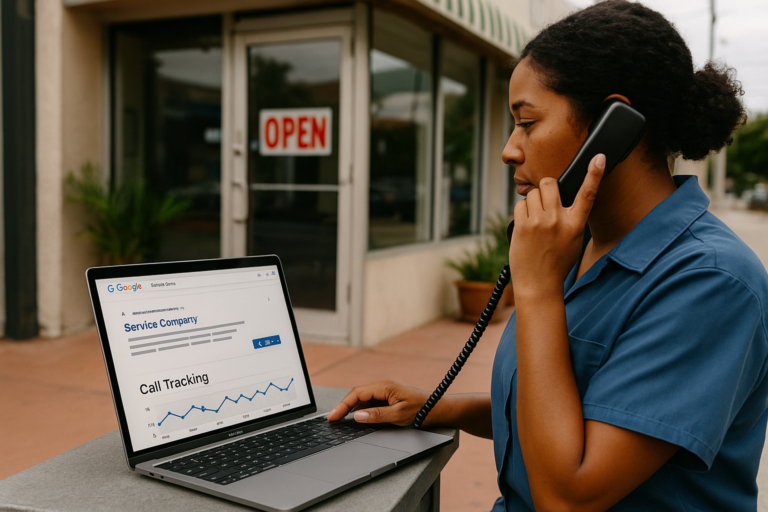
If your website generates phone calls, contact form submissions, or quote requests, those actions should never remain invisible. For many small businesses, these are the most important outcomes a website can produce. They are the moments when a visitor stops browsing and becomes a real lead.
That is why conversion tracking matters.
Without it, business owners often rely on incomplete signals like page views, clicks, or traffic growth. Those metrics can be useful, but they do not tell you whether your website is actually producing inquiries. A page may attract visitors and still fail to generate meaningful business opportunities.
Proper conversion tracking for a small business website helps you see which marketing efforts lead to form submissions, incoming calls, and quote requests. It gives you better insight into SEO performance, Google Ads results, landing page effectiveness, and user behavior across your site.
In this guide, you will learn how to set up tracking for the most common lead actions on a service-based website, what tools are typically involved, and what to watch for so your reporting stays accurate.
What Conversion Tracking Means for a Small Business Website
A conversion is a meaningful action a visitor takes on your website. For a small business, that usually includes:
- Submitting a contact form
- Clicking to call from a mobile device
- Calling a tracked business number
- Sending a quote request
- Booking a consultation or appointment
When people talk about conversion tracking for a small business website, they usually mean recording those actions in analytics and advertising platforms so performance can be measured correctly.
This is especially important for businesses that depend on lead generation, such as contractors, consultants, legal offices, healthcare practices, home service companies, repair companies, and other service businesses. If a website exists to create inquiries, then inquiries must be tracked.
Why Conversion Tracking Is So Important
Many small businesses invest in web design, SEO, content, and paid advertising, but still struggle to answer one basic question: which efforts are producing real leads?
Conversion tracking helps answer that question by showing:
- Which traffic sources lead to form submissions and calls
- Which landing pages generate the most quote requests
- Which campaigns deserve more budget
- Which pages need improvement
- How mobile users behave compared to desktop users
- Whether a website redesign improved lead generation
It also prevents expensive mistakes. For example, a business may assume a campaign is working because traffic increased, when in reality the increase came from visitors who never contacted the company. Tracking allows decisions to be based on outcomes instead of assumptions.
The Main Types of Conversions to Track
Contact Form Submissions
These are among the most common website conversions. A visitor fills out a form to ask a question, request information, or start a conversation. If you want to track website form submissions, the goal is to record a completed form, not just a click on the submit button.
Phone Calls
For many service businesses, phone calls are the highest-value lead. Call tracking for service businesses often includes both click-to-call tracking and tracking numbers that connect calls back to the main business line.
Quote Requests
A quote request is often more valuable than a general contact inquiry because it usually signals stronger buying intent. Quote request conversion tracking is important when a business offers custom pricing, estimates, project-based services, or consultation-driven sales.
The Basic Tools Commonly Used
Most conversion tracking setups involve a combination of the following:
- Google Analytics 4 (GA4): used to measure events and conversions
- Google Tag Manager (GTM): used to deploy tracking without editing code repeatedly
- Google Ads: used when you want ad campaigns to optimize around real leads
- Call tracking software: used to measure calls from website visitors and campaigns
- Form plugin integrations: useful for WordPress websites using plugins like Contact Form 7, WPForms, Gravity Forms, or Elementor forms

You do not always need every tool, but GA4 and a clean event setup are usually the foundation.
Start With a Clear Conversion Plan
Before adding tags or software, define exactly what counts as a conversion.
For example, a small business might track:
- General contact form submissions
- Request a quote form submissions
- Phone number clicks on mobile
- Calls lasting longer than a minimum threshold
- Appointment request submissions
It is also smart to separate high-intent leads from lower-intent interactions. A quote request may deserve its own tracking event instead of being grouped with general inquiries.
Clear naming matters too. Keep event names organized, readable, and consistent so reports remain understandable over time.
How to Track Website Form Submissions
Use a Thank-You Page When Possible
One of the most reliable ways to track website form submissions is to redirect users to a dedicated thank-you page after a successful form completion.
For example:
- /thank-you-contact/
- /thank-you-quote-request/
This approach offers several benefits:
- Tracking is simpler and more reliable
- Different forms can have different confirmation pages
- You can create separate conversion events for each form type
- You can use the page for next-step messaging
In GA4, visits to those thank-you pages can be marked as conversions. In Google Ads, those same completions can be imported or tracked directly.
Track AJAX or On-Page Success Messages Carefully
Some WordPress forms do not redirect to a thank-you page. Instead, they display a success message on the same page after the form is submitted. In those cases, event tracking usually needs to detect that successful submission action through Google Tag Manager, built-in plugin integrations, or custom JavaScript events.
This method can work well, but it must be configured carefully. If it is based on button clicks rather than true successful submissions, your data may become inflated by failed attempts, spam, or accidental clicks.
The best practice is to track a confirmed success state whenever possible.
Separate Contact Forms From Quote Request Forms
Not all forms are equal. If your site has both a basic contact form and a detailed quote request form, track them separately. This gives clearer insight into lead quality and customer intent.
For example, a service company may learn that organic traffic produces more general inquiries, while paid search produces more quote requests. That distinction can improve both content strategy and ad budgeting.
How to Set Up Call Tracking for Service Businesses
Phone leads can be harder to measure than forms because not every call begins with a simple click event, and not every call should count as a qualified lead. A proper setup often uses more than one tracking method.
Track Click-to-Call Events
When a user taps a phone number on a mobile website, that click can be tracked as an event. This is a useful starting point and can often be set up through Google Tag Manager by detecting clicks on telephone links.
However, this method has limits:
- It records the click, not the completed conversation
- It may count accidental taps
- It does not show whether the person actually reached your business
Even so, click-to-call tracking is still valuable, especially for mobile-heavy industries.
Use Dynamic Call Tracking Numbers
For a more complete picture, many businesses use call tracking software that displays a unique forwarding number to website visitors. When someone calls that number, the call is routed to the business’s normal phone line, while the software records useful data such as:
- Traffic source
- Landing page
- Campaign
- Call duration
- Time of call
This is especially useful for businesses investing in Google Ads, SEO, or multiple traffic channels. It helps connect calls back to the marketing source that generated them.
Count Qualified Calls Instead of Every Call
Not every call should be treated as a conversion. Wrong numbers, spam calls, repeat service calls, and very short hang-ups can distort your reports.
Many call tracking platforms let you define a qualified conversion using rules such as minimum call duration. For example, a call lasting more than 30 or 60 seconds may count as a meaningful lead, while shorter calls may not.
This creates more useful reporting and helps ad platforms optimize around higher-value actions.
How to Handle Quote Request Conversion Tracking
Quote request conversion tracking deserves special attention because quote forms often represent stronger commercial intent than standard contact forms.
If your website includes a quote request page, estimate request form, project inquiry form, or consultation request process, treat that action as a distinct conversion event.
You might set up:
- One conversion for a standard contact inquiry
- A separate conversion for a quote request
- An additional event for users who begin the quote form but do not finish it
This structure helps identify where serious prospects come from. It also improves campaign reporting if quote requests are more valuable to your sales process than general messages.
In some businesses, a quote request may be the primary conversion used for bidding and campaign optimization.
How GA4 Fits Into the Process
Google Analytics 4 is designed around events. That makes it well suited for tracking form submissions, phone interactions, and quote requests.
In a typical setup, events are created for actions such as:
- contact_form_submit
- quote_request_submit
- phone_click
- qualified_phone_call
Once those events are firing properly, the important ones can be marked as conversions inside GA4.
This allows you to analyze:
- Which channels generate conversions
- Which pages assist conversions
- Which devices convert best
- Which campaigns produce lead actions
GA4 also supports audience creation and attribution reporting, which can be useful when evaluating the full path a user took before contacting your business.
Using Google Ads Conversion Tracking Correctly
If you run paid search campaigns, conversion tracking should be connected to Google Ads as well. Otherwise, the platform may optimize for clicks rather than actual leads.

There are two common approaches:
- Import conversion events from GA4 into Google Ads
- Track conversions directly in Google Ads using tags or call reporting tools
Either method can work, but consistency is critical. Duplicate tracking can cause the same lead to be counted multiple times if the setup is not carefully reviewed.
For example, if a quote request is tracked in GA4 and also tracked separately in Google Ads through another tag, reporting may become misleading unless the account is configured intentionally.
For service businesses that rely heavily on calls, combining Google Ads with call tracking software often provides more accurate lead attribution.
Important Setup Mistakes to Avoid
Tracking Button Clicks Instead of Successful Submissions
A submit button click does not always mean the form went through. The user may have missed required fields or encountered an error. Track successful completion whenever possible.
Counting All Calls as Leads
Short calls, spam calls, or support calls can reduce data quality. Use qualification rules if available.
Failing to Test the Setup
Every conversion action should be tested after setup. Submit forms, click phone numbers, and verify that events appear correctly in your analytics and advertising platforms.
Ignoring Different Conversion Values
A quote request may be more valuable than a standard contact message. Treat important actions separately instead of combining all leads into one generic conversion.
Forgetting Privacy and Compliance Considerations
If your website uses analytics, call tracking, cookies, or ad platforms, review applicable privacy requirements and disclosures for your business. This is especially important in regulated industries or when handling sensitive customer information.
How Conversion Tracking Improves Website Strategy
Once tracking is in place, your website becomes easier to improve with confidence.
You can identify:
- Which service pages generate the most leads
- Which traffic sources produce quote requests instead of just visits
- Whether mobile visitors are calling more often than submitting forms
- Which landing page layouts convert better
- Whether SEO traffic is attracting the right audience
This turns your website from a static online brochure into a measurable business tool.
It also supports better long-term decisions. If one form layout consistently underperforms, you can redesign it. If one service page attracts traffic but no inquiries, you can revise the messaging. If paid ads drive calls but not quote requests, you can adjust landing pages or keyword targeting.
Practical Example of a Small Business Conversion Setup
A typical service business website might use a structure like this:
- A general contact form tracked through a thank-you page
- A quote request form tracked as a separate conversion
- Click-to-call events tracked on all phone number links
- Call tracking software installed to attribute calls to campaigns and traffic sources
- GA4 set up with separate events for forms, quote requests, and qualified calls
- Google Ads connected to import or measure those lead actions
With that framework, the business can compare lead generation across organic search, paid ads, direct visits, referral traffic, and specific landing pages.
That is the kind of visibility small businesses need if they want to invest in marketing intelligently.
Conclusion
Conversion tracking is one of the most valuable improvements a small business can make to its website and marketing setup. If you do not track contact forms, calls, and quote requests, you are missing the data that shows whether your website is actually generating business opportunities.
The most effective approach is usually straightforward: define your key lead actions, track successful form submissions accurately, set up call tracking in a meaningful way, separate quote requests from general inquiries, and connect everything to analytics and advertising platforms with care.
Once that foundation is in place, you can make smarter decisions about SEO, Google Ads, landing pages, and website improvements. Instead of guessing what works, you can measure real lead activity and build around results.
For small businesses across the United States, that visibility can make the difference between marketing that simply looks active and marketing that truly performs.